Digital Textbooks & Classroom Tools
Client:
KNO INC. (acquired by Intel Education)
Santa Clara, CA
2014
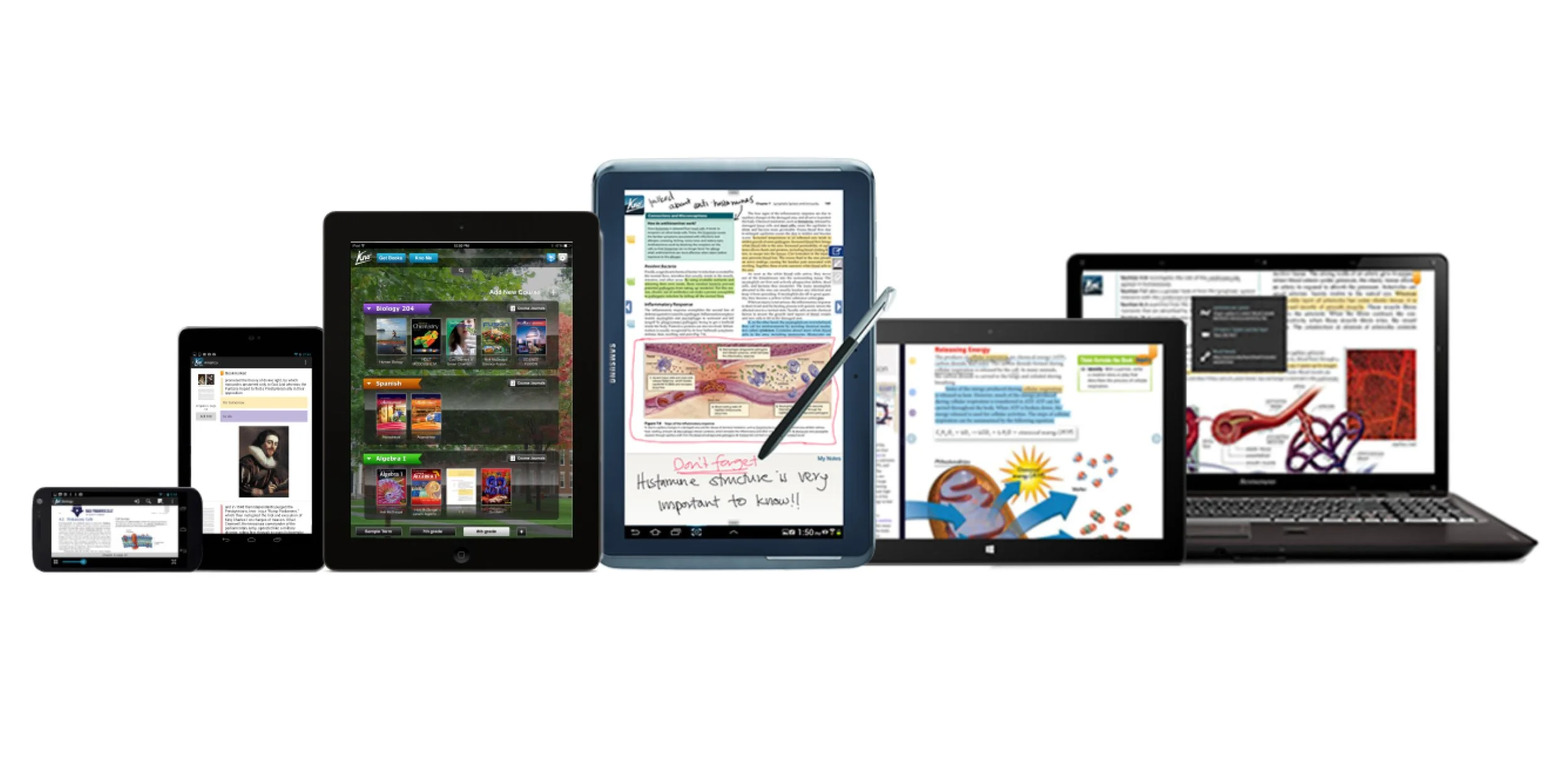
A suite of apps that help students collaborate, engage more deeply with e-textbooks and study tools. The team built apps for iPad, iOS desktop, Android, Windows 7 & 8, and a web app.
iOS app examples
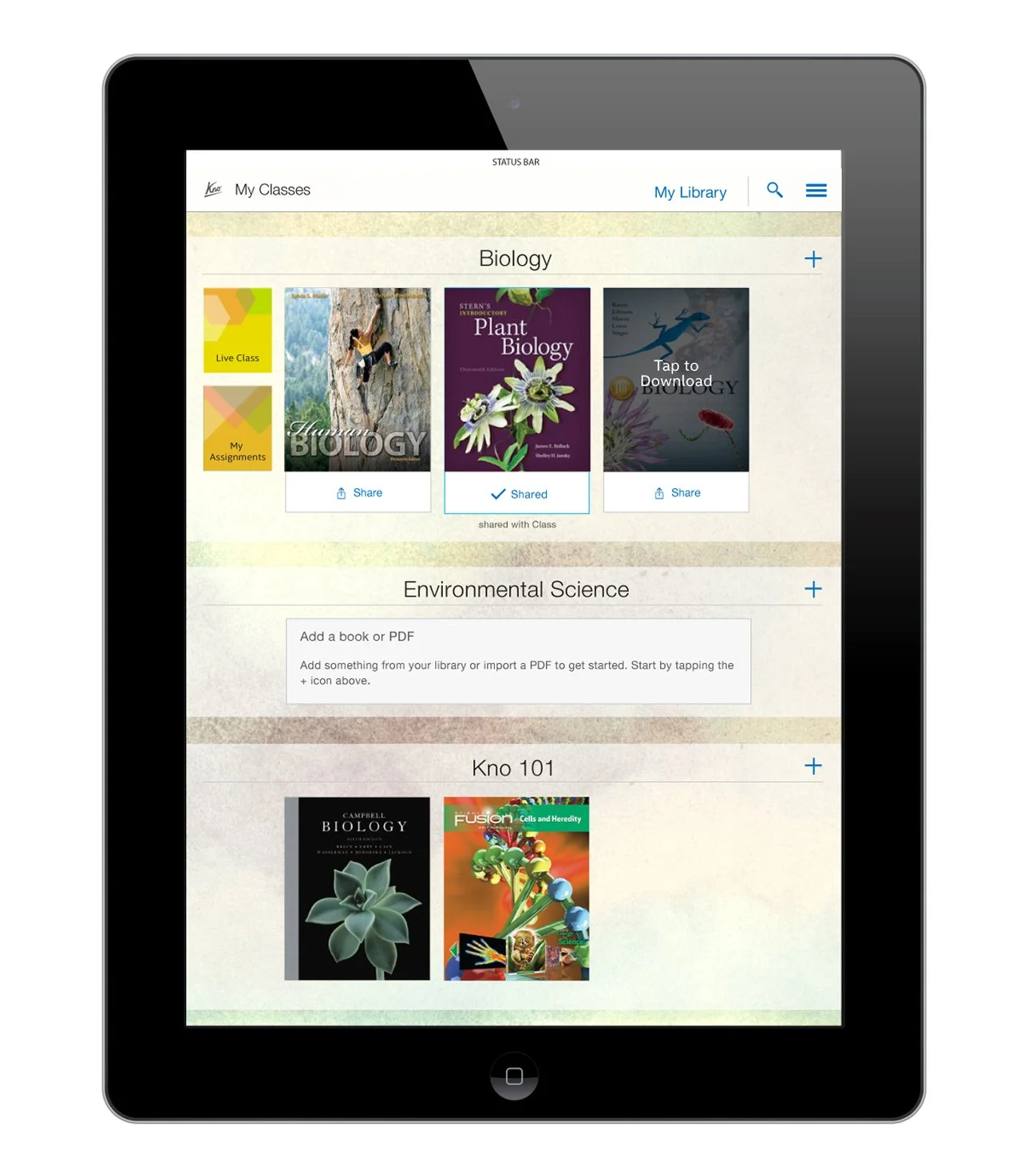
Home screen design for the iOS app.
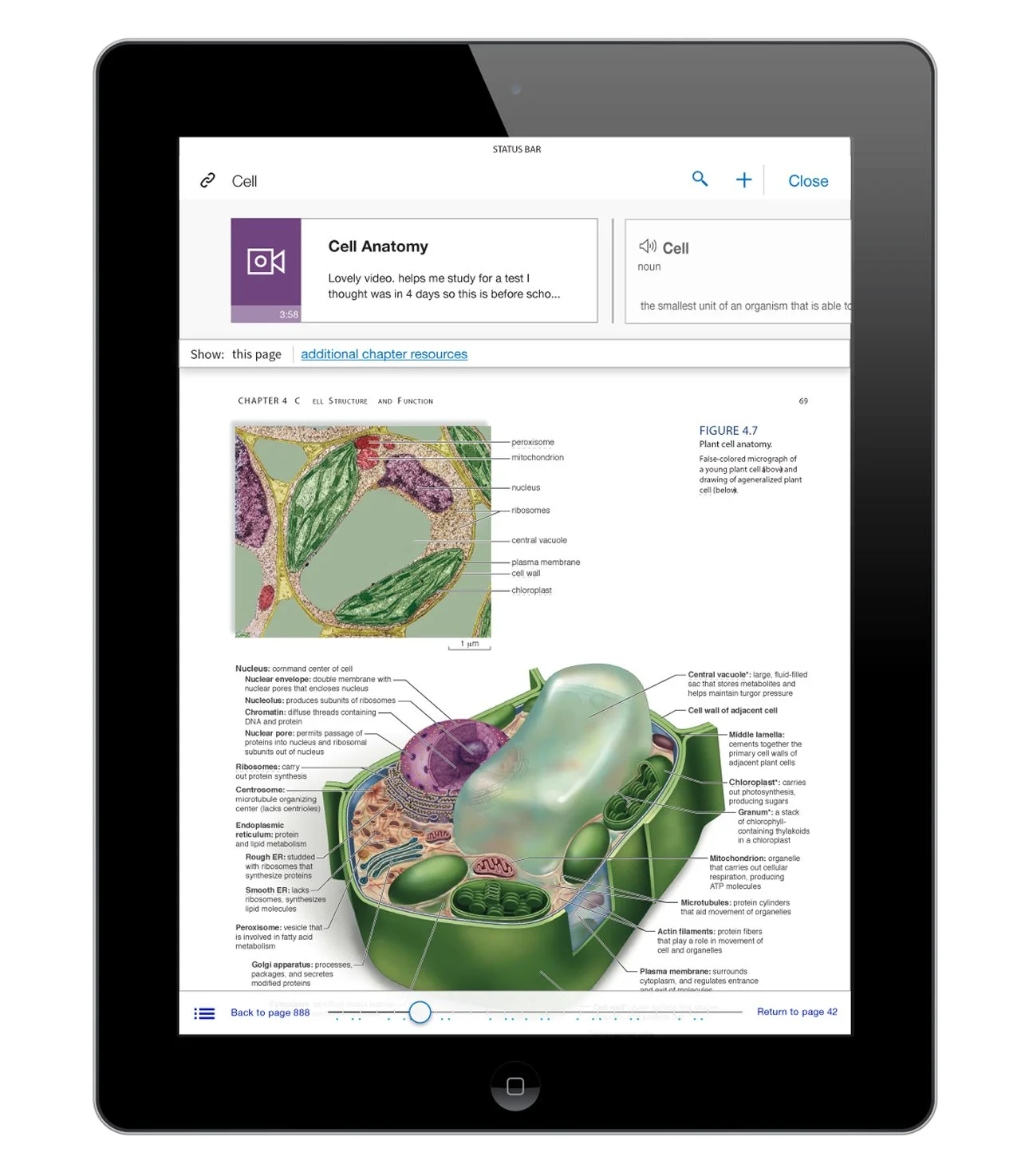
Smartlinks to enhance the textbook. Design for the iOS app.
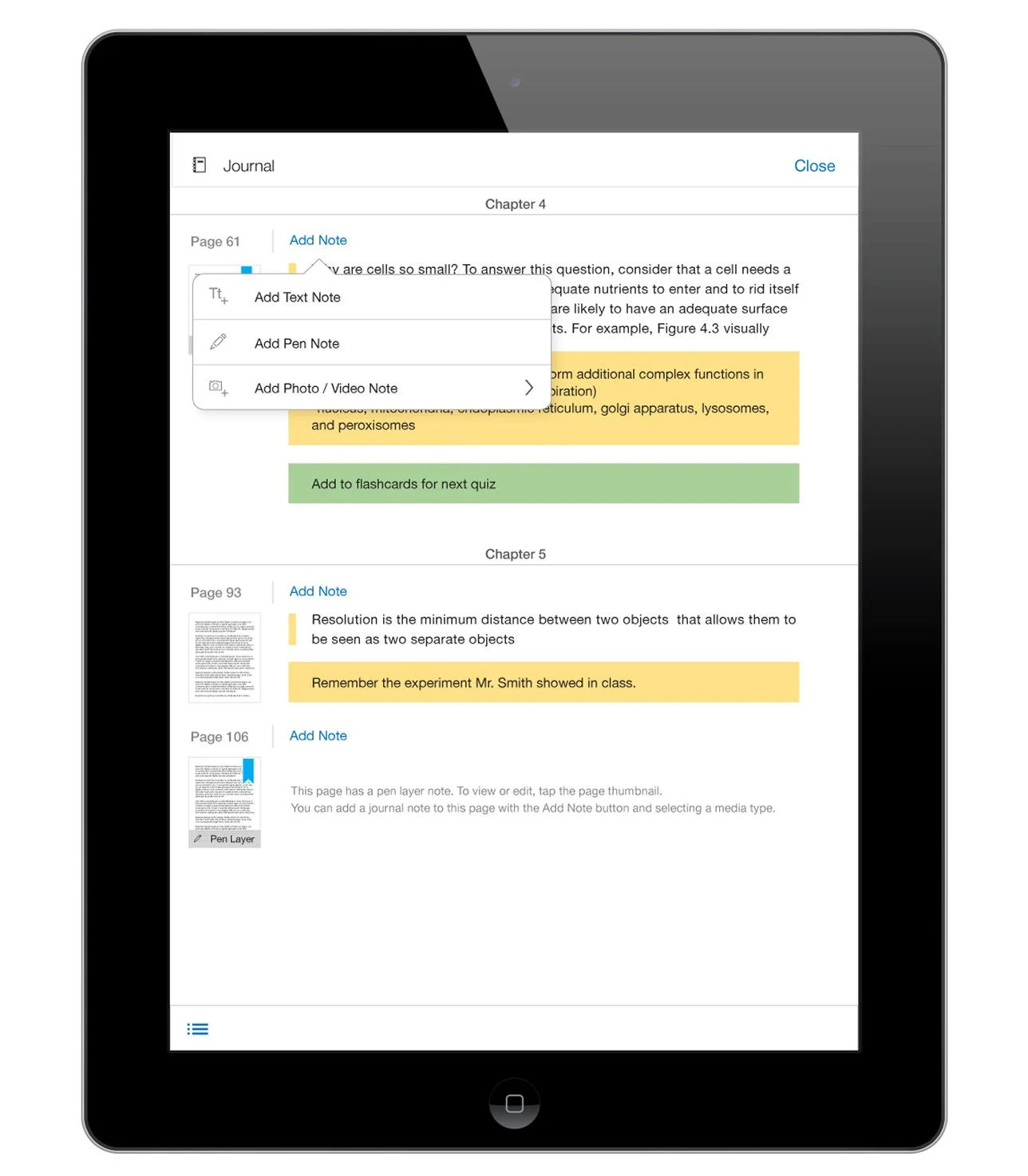
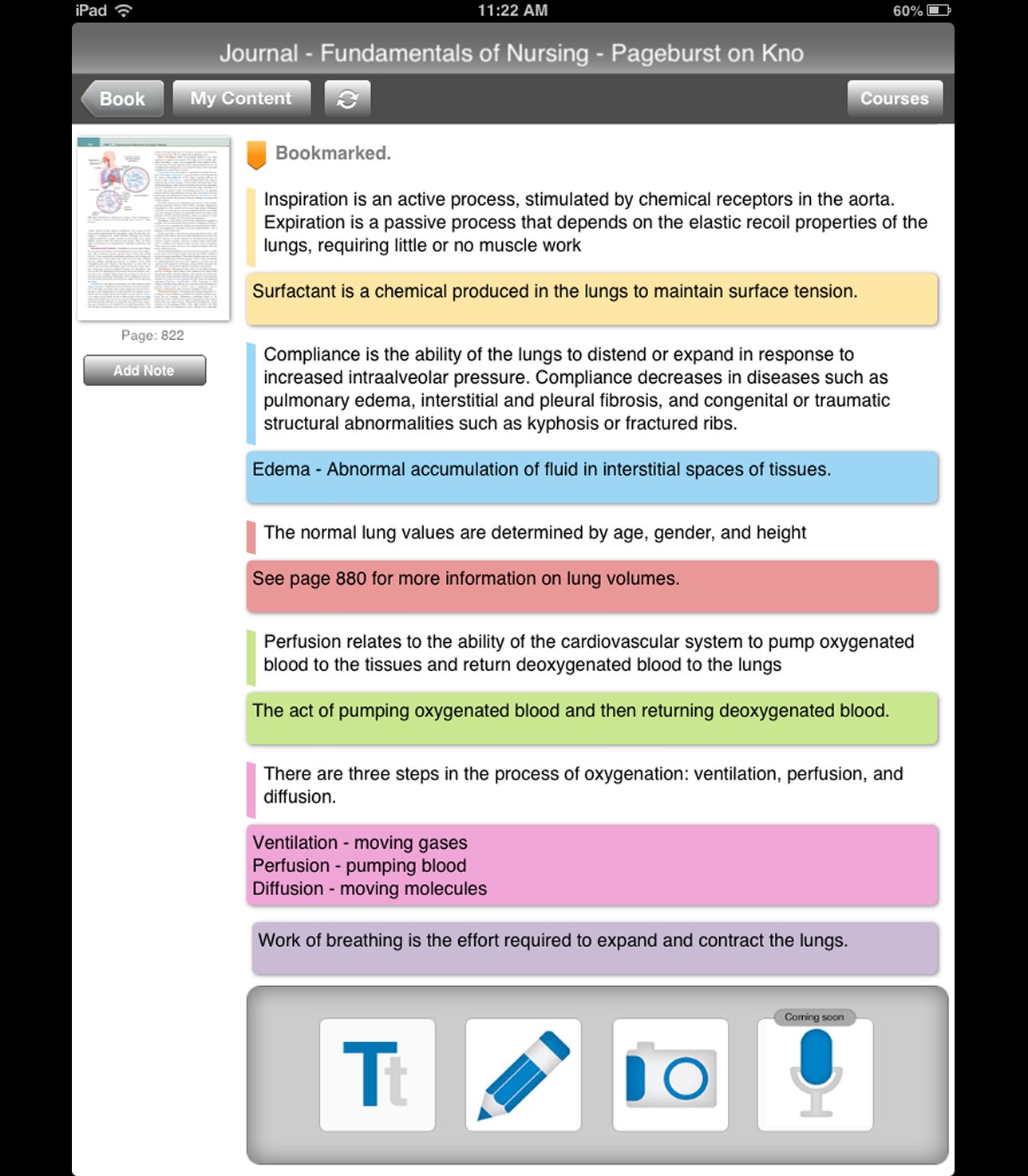
Design of the journal functionality. A way to view all of the annotations and comments to the textbook for the iOS app.
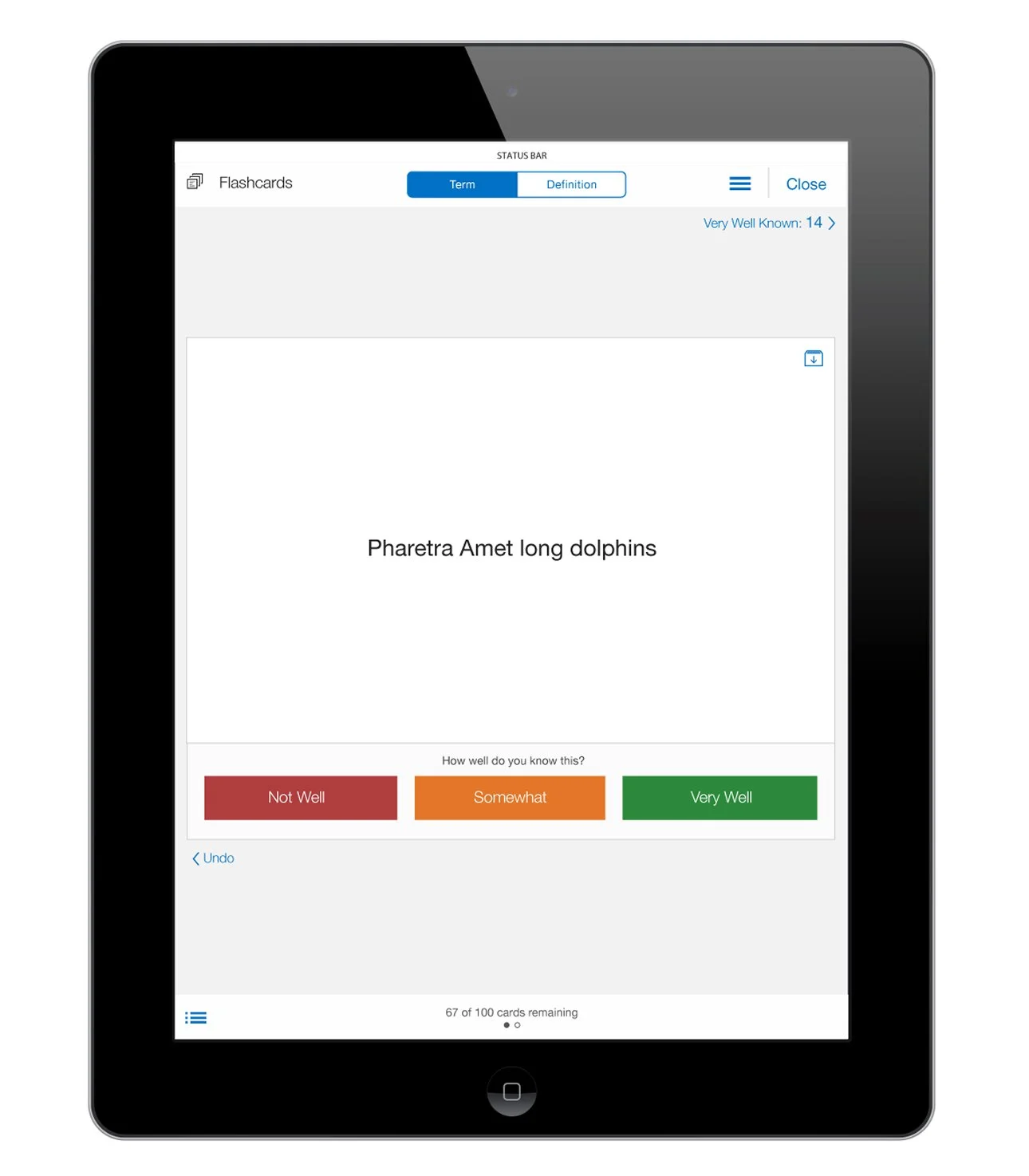
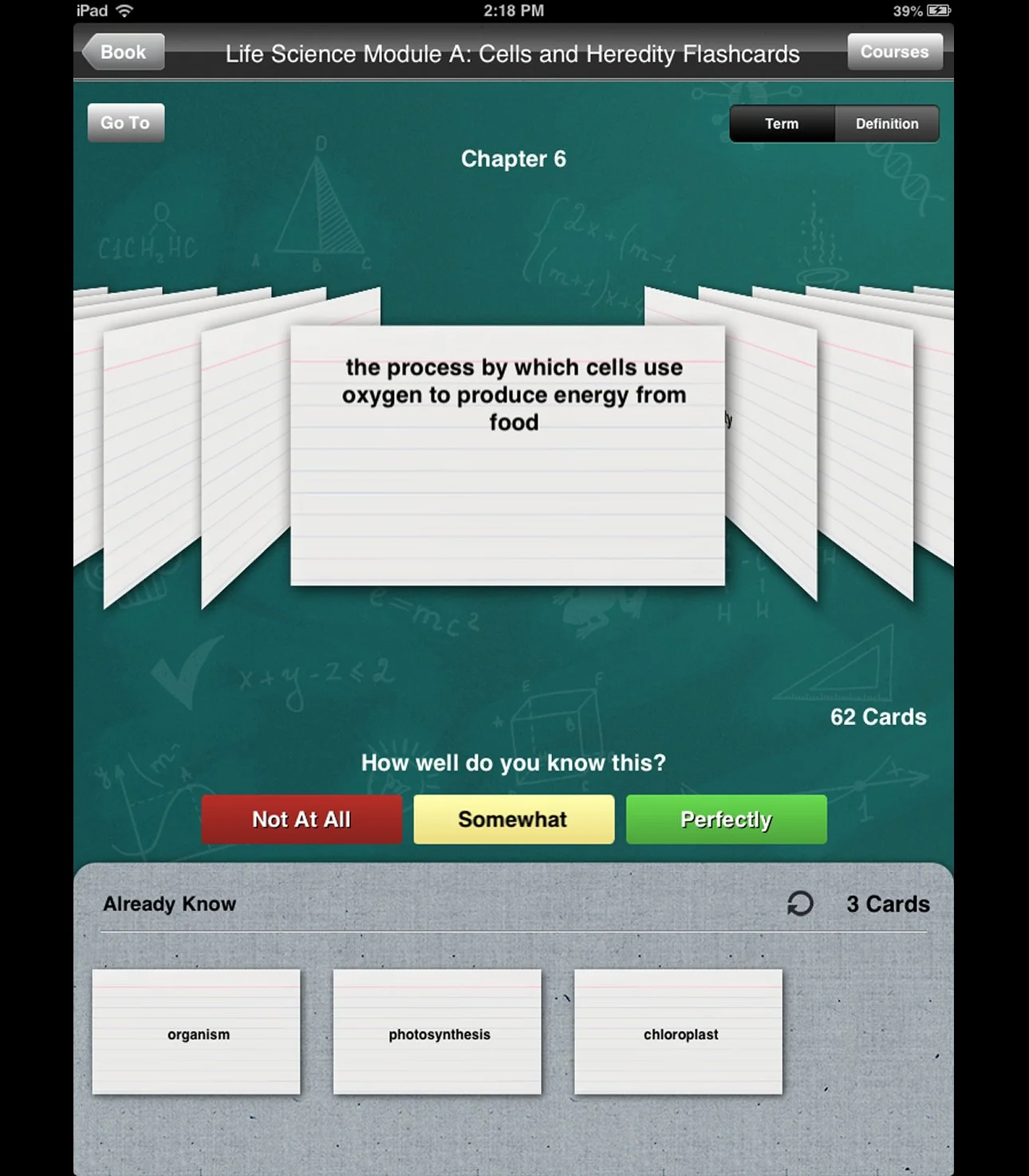
Design of flashcards for the iOS app.
Android examples
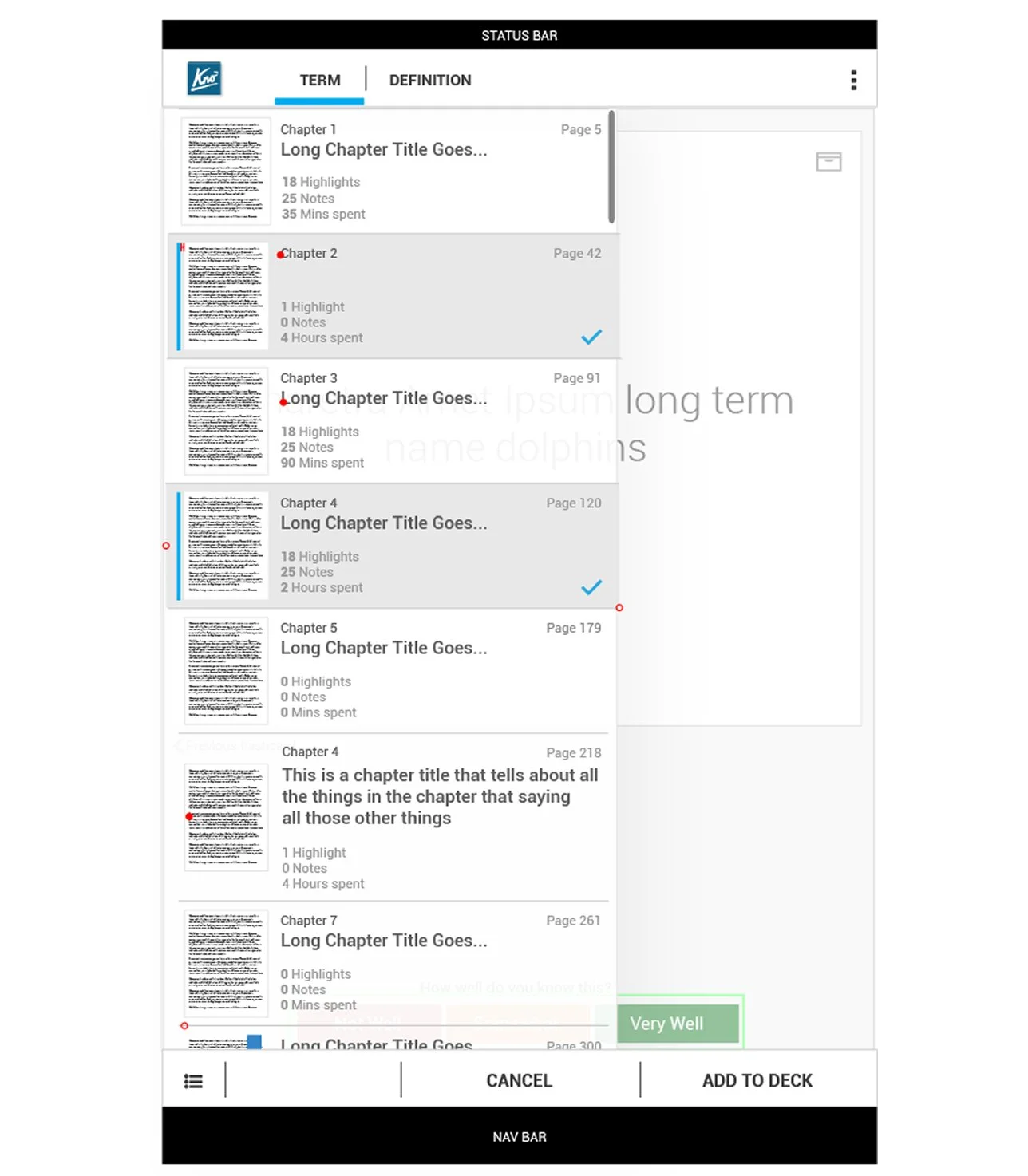
Design of an open menu showing all of the flashcard in the Android app.
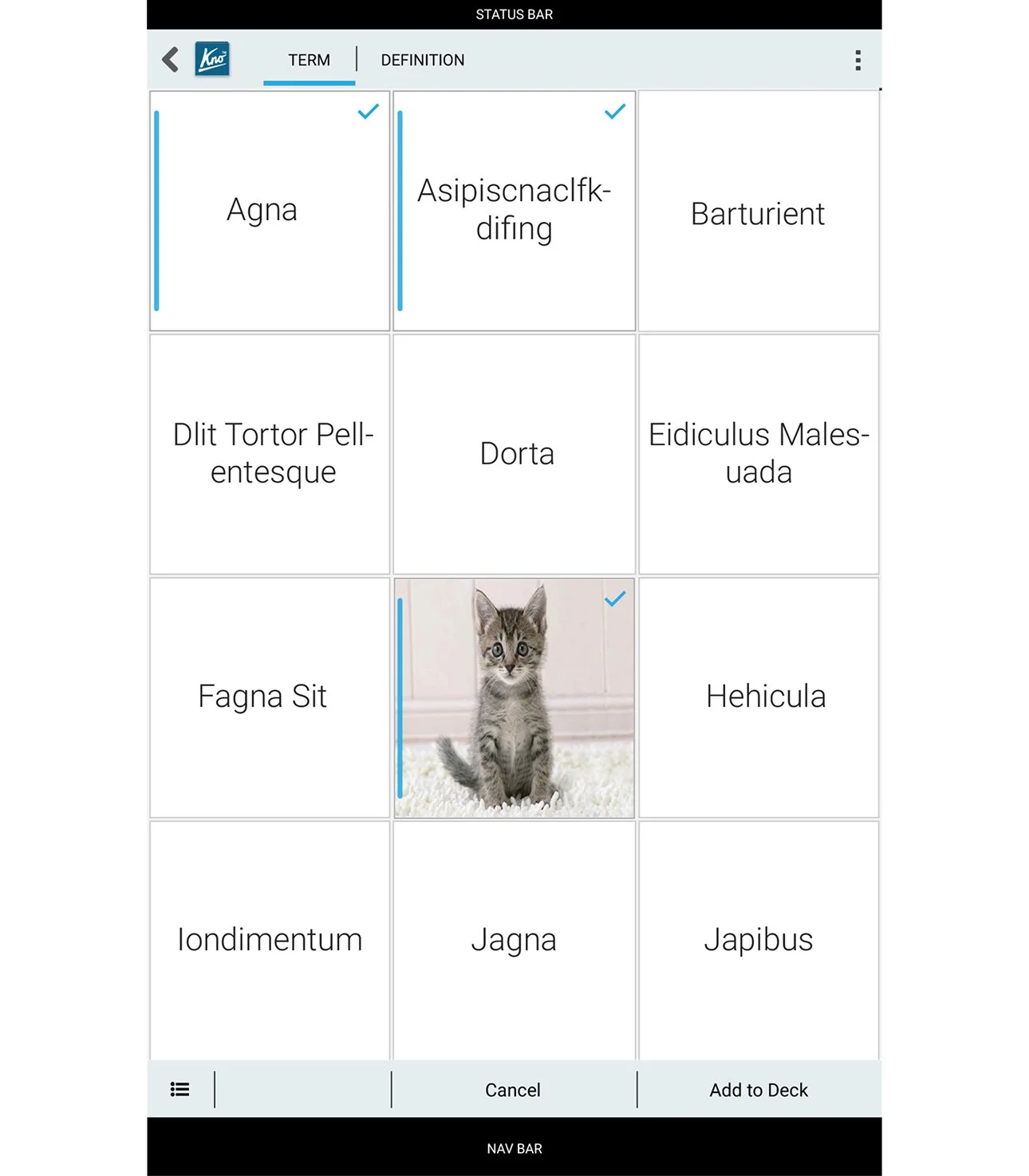
Mockup of the flashcard design for the Android app.
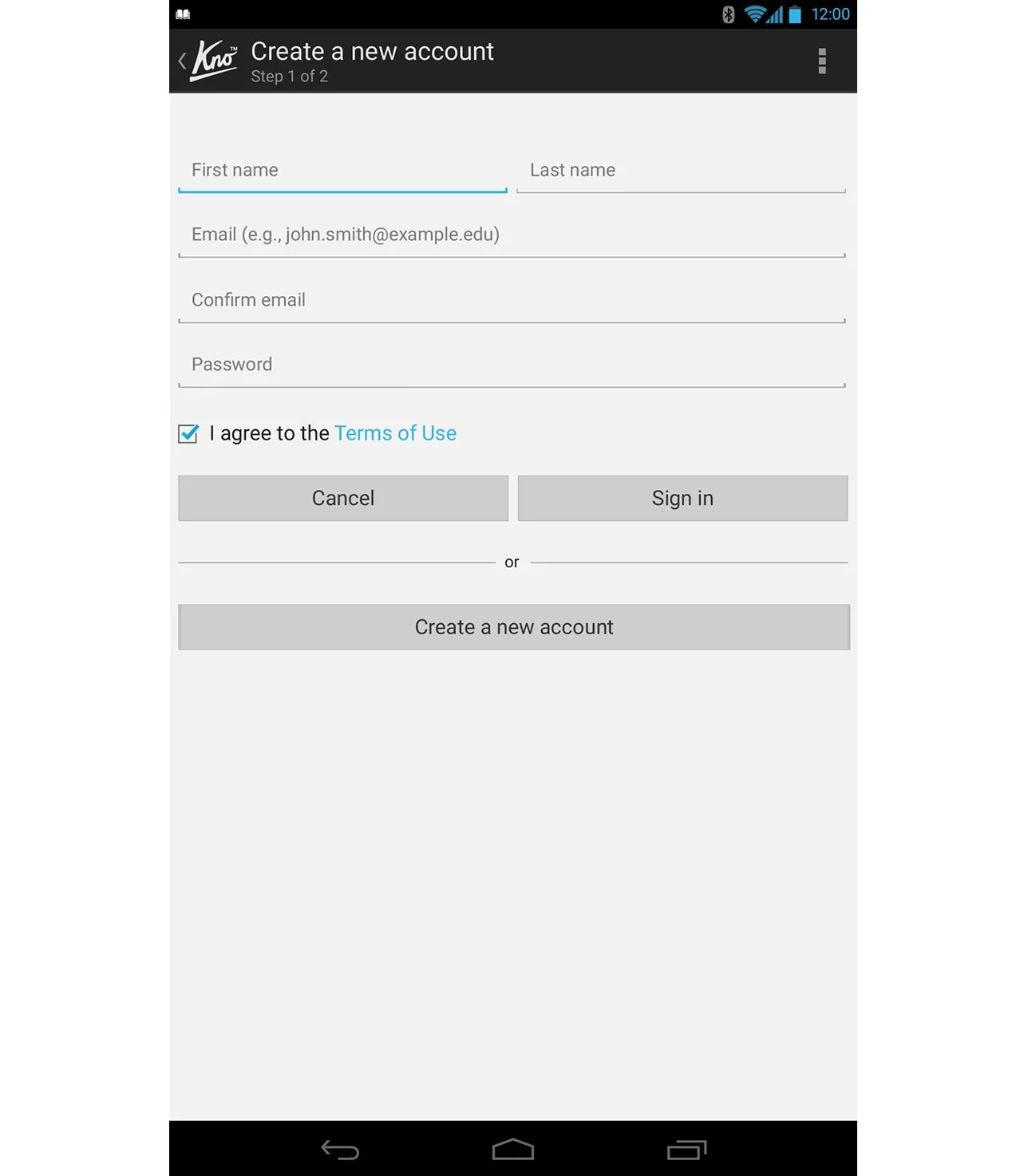
Design of an account creation screen in the Android app.
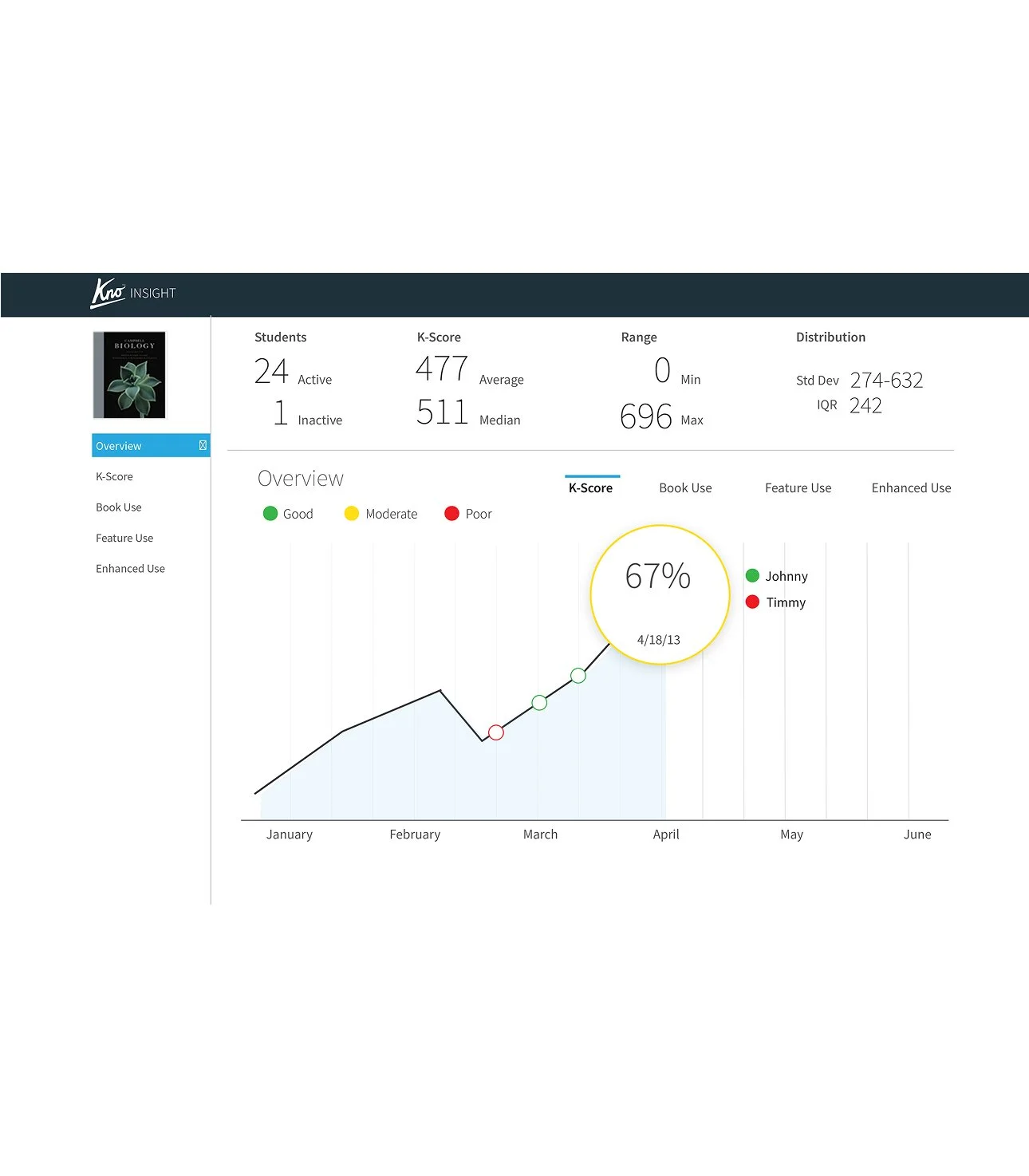
Design of Kno Insights, a feature for instructors to track their students testing progress in the Android app.
Web app examples
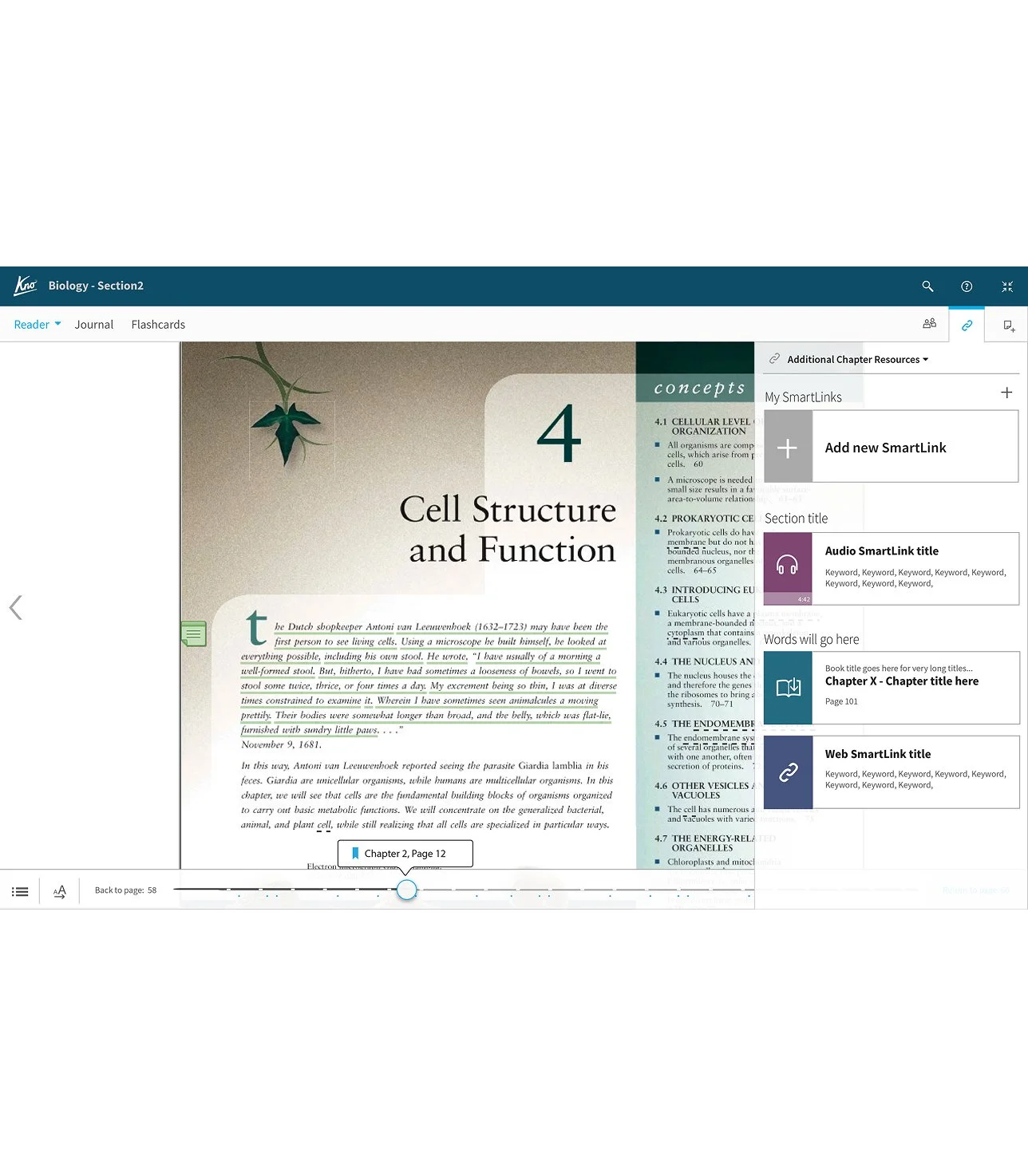
Smartlinks to enhance the textbook. Design for the web-view app.
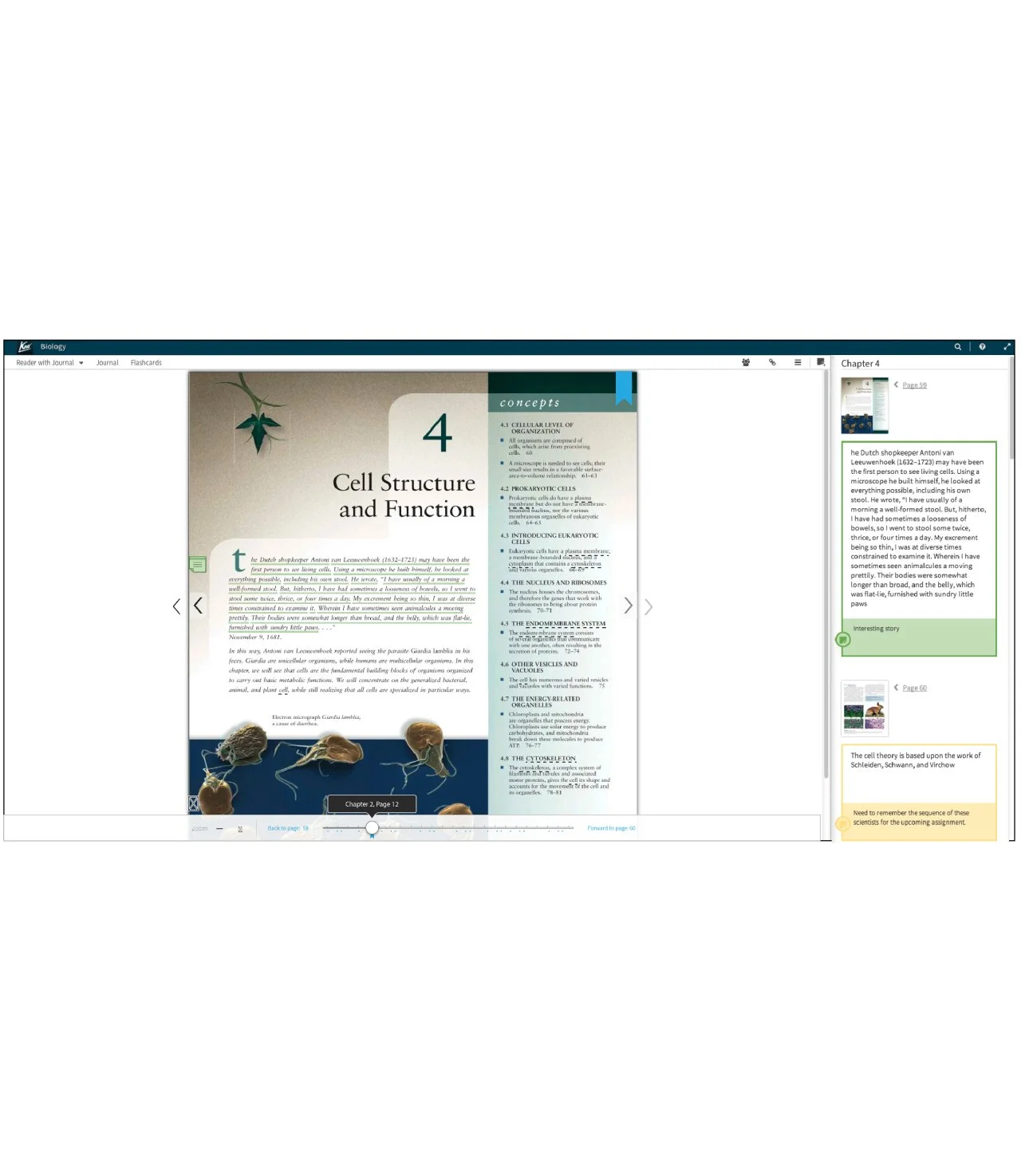
Smartlinks to Design of the journal functionality. A way to view all of the annotations and comments to the textbook in the web-view app. the textbook. Design for the iOS app.
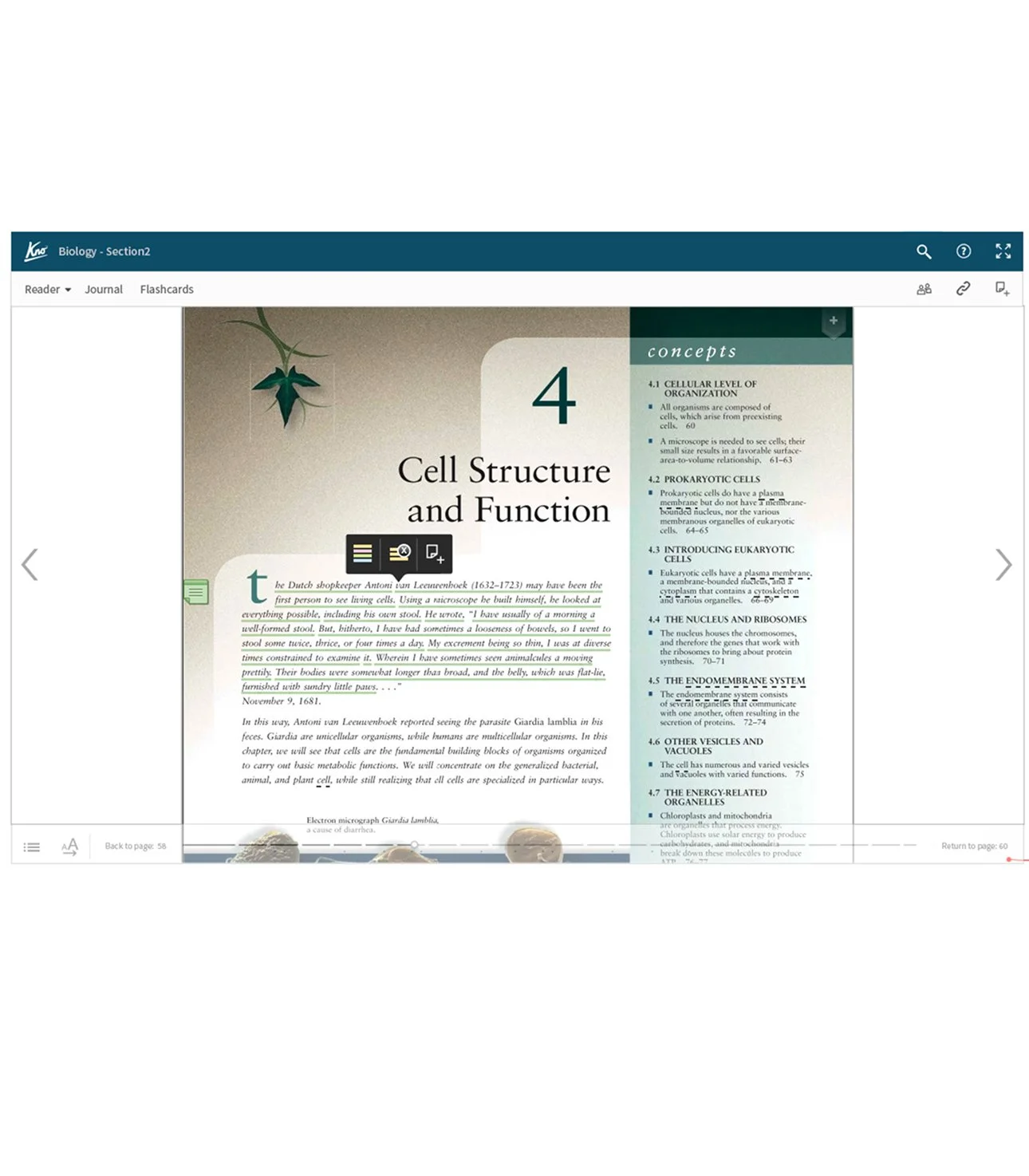
Design of the sticky note and enhancement popup for the web-view app.
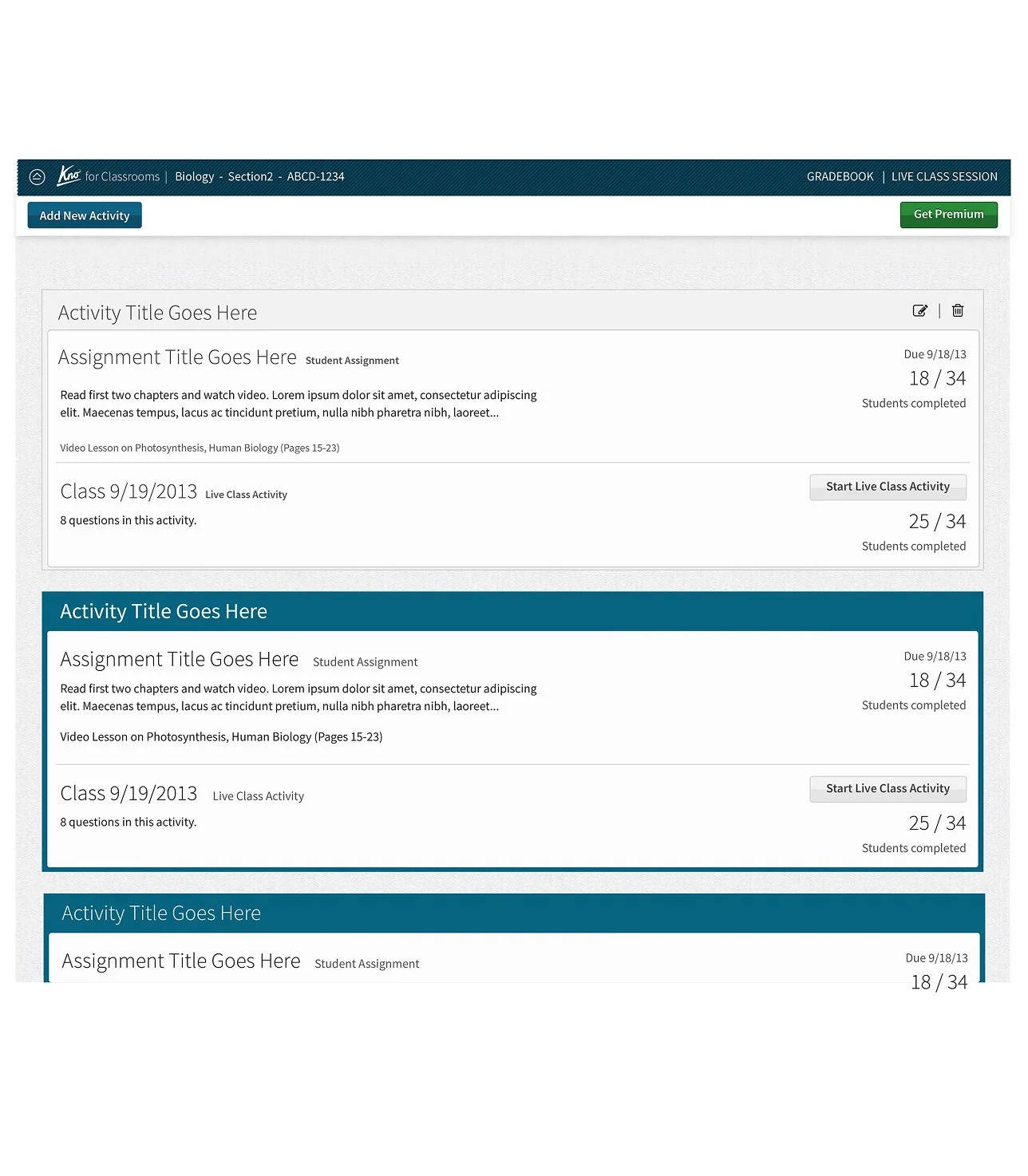
Design for the assignments portal in the web-view app.
Windows 7 & 8 apps
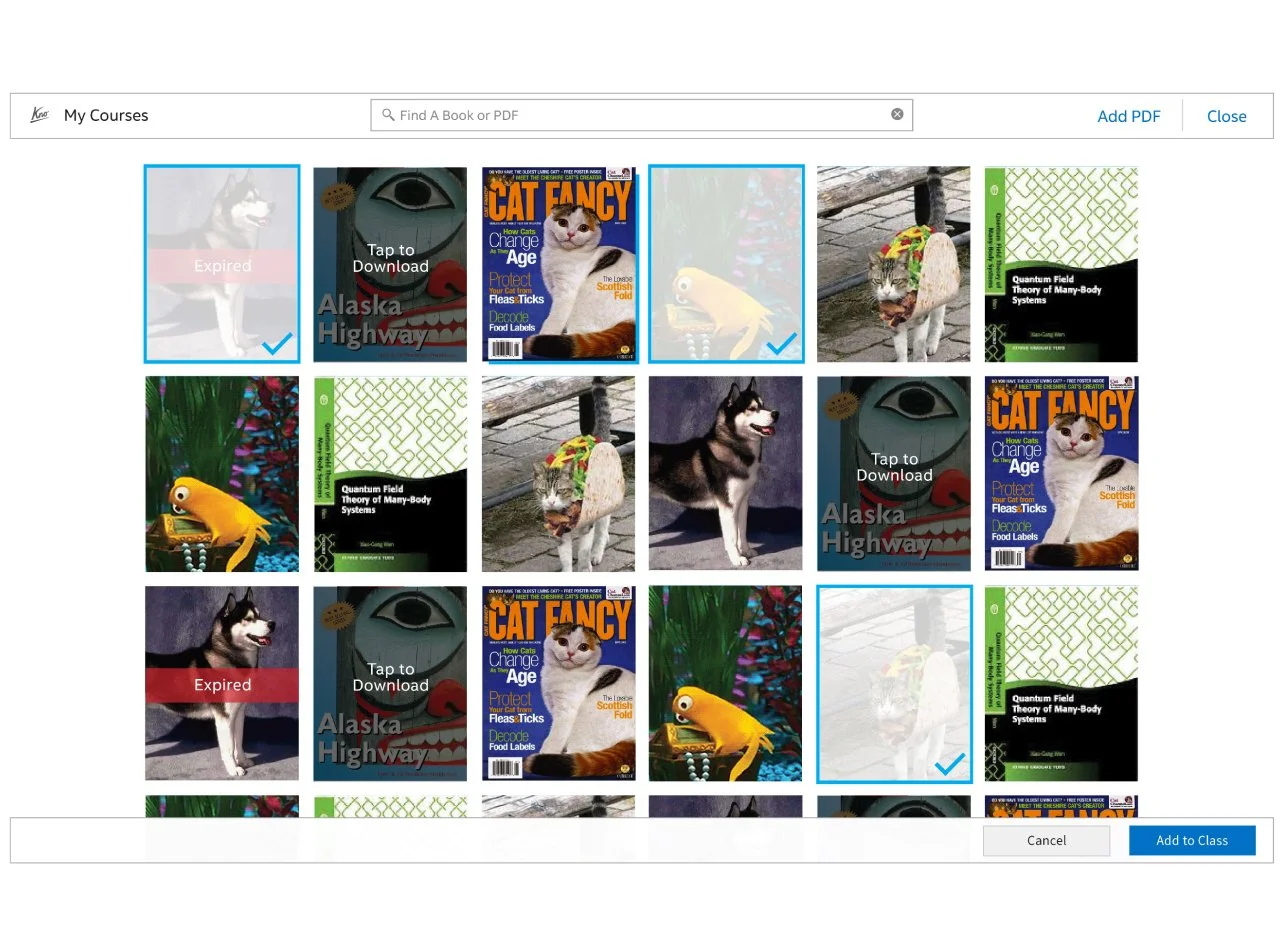
Home screen design for the Microsoft Windows 7 & 8 Kno app.
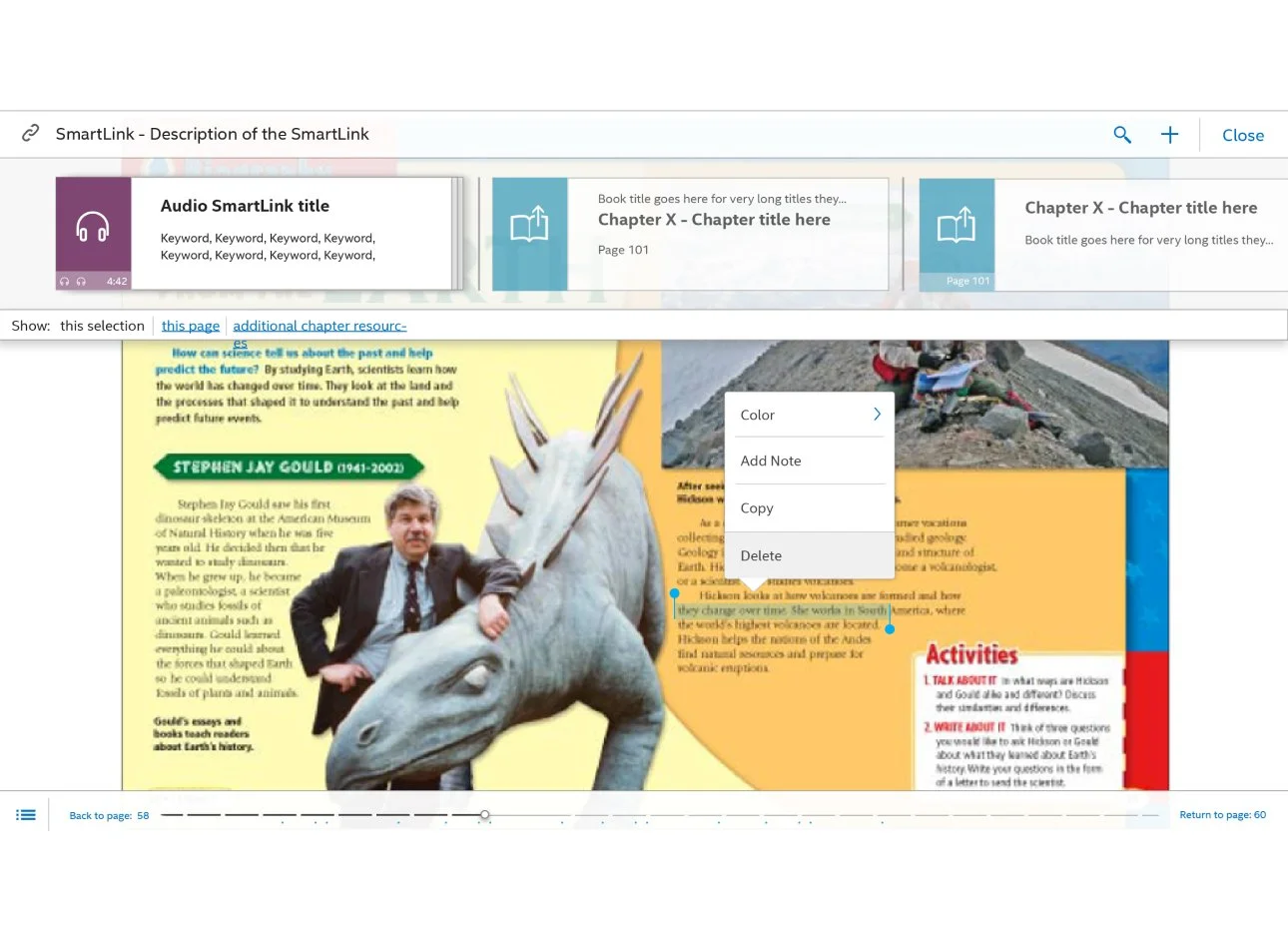
Smartinks to enhance the textbook, and pop-out menu design for the Microsoft Windows 7 & 8 Kno app.
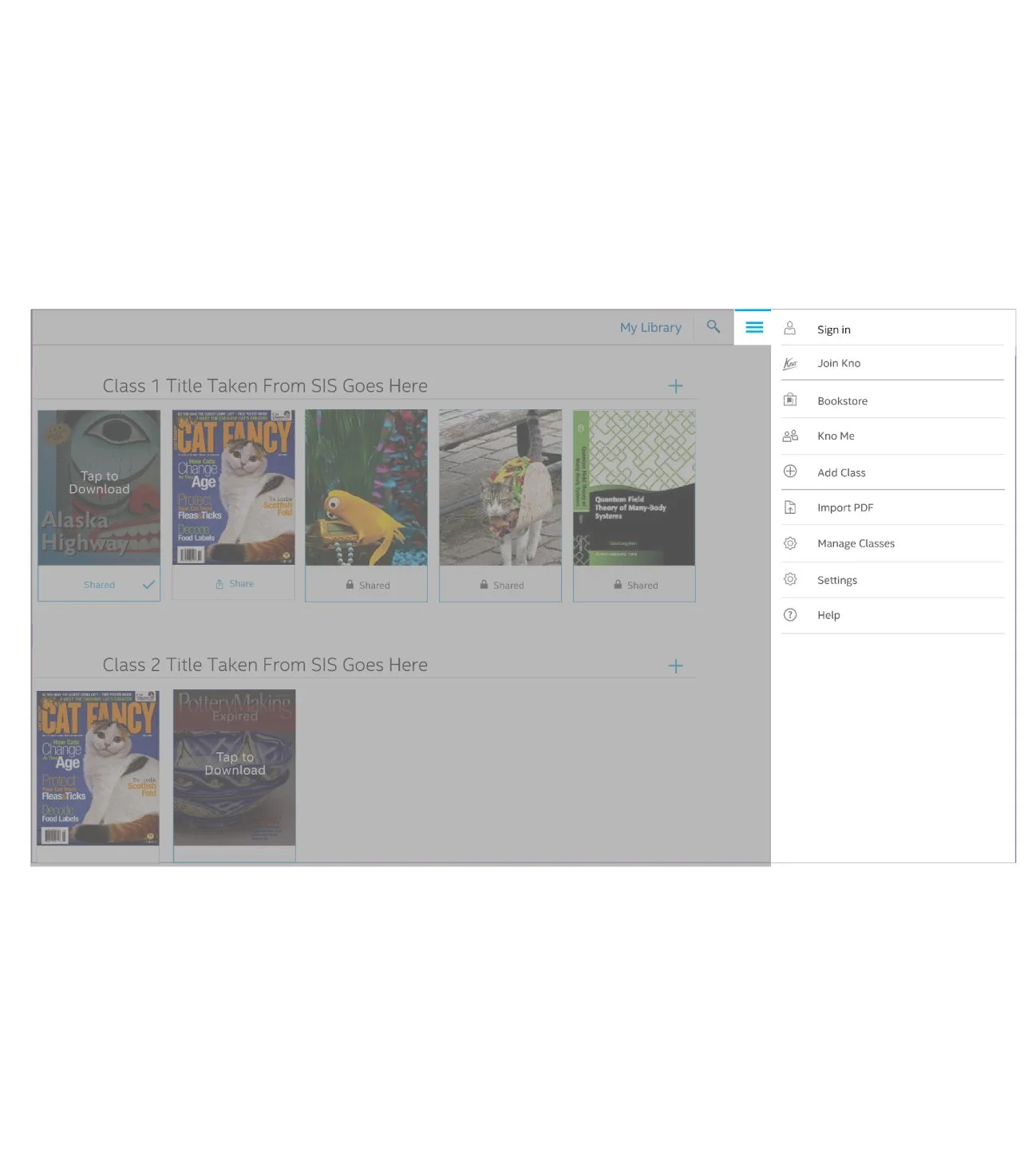
Design for a pop-out top-level menu for the Microsoft Windows 7 & 8 Kno app.
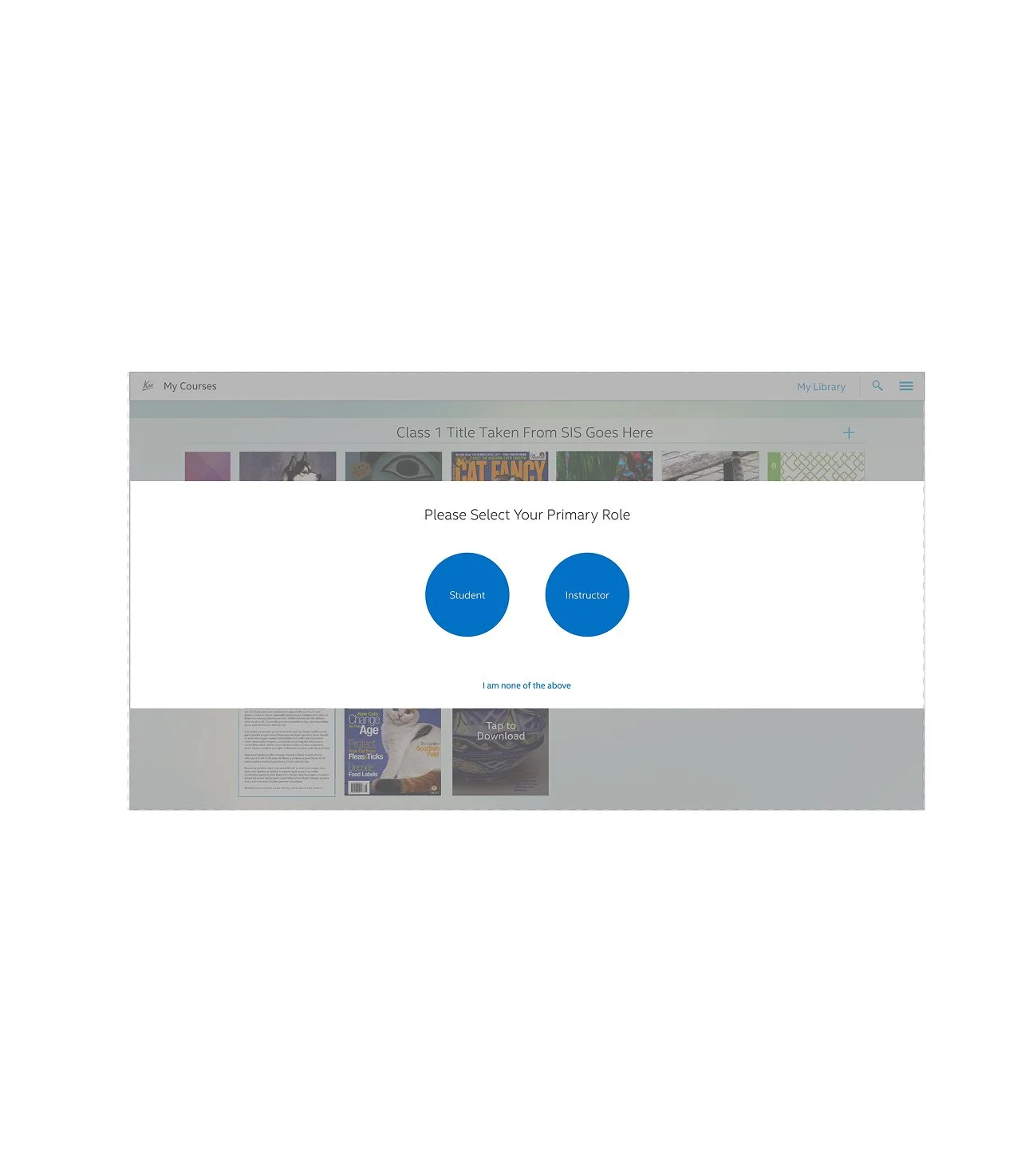
Designs for a step during account setup when selecting primary role in the Microsoft Windows 7 & 8 Kno app.
Original Design
-
![]()
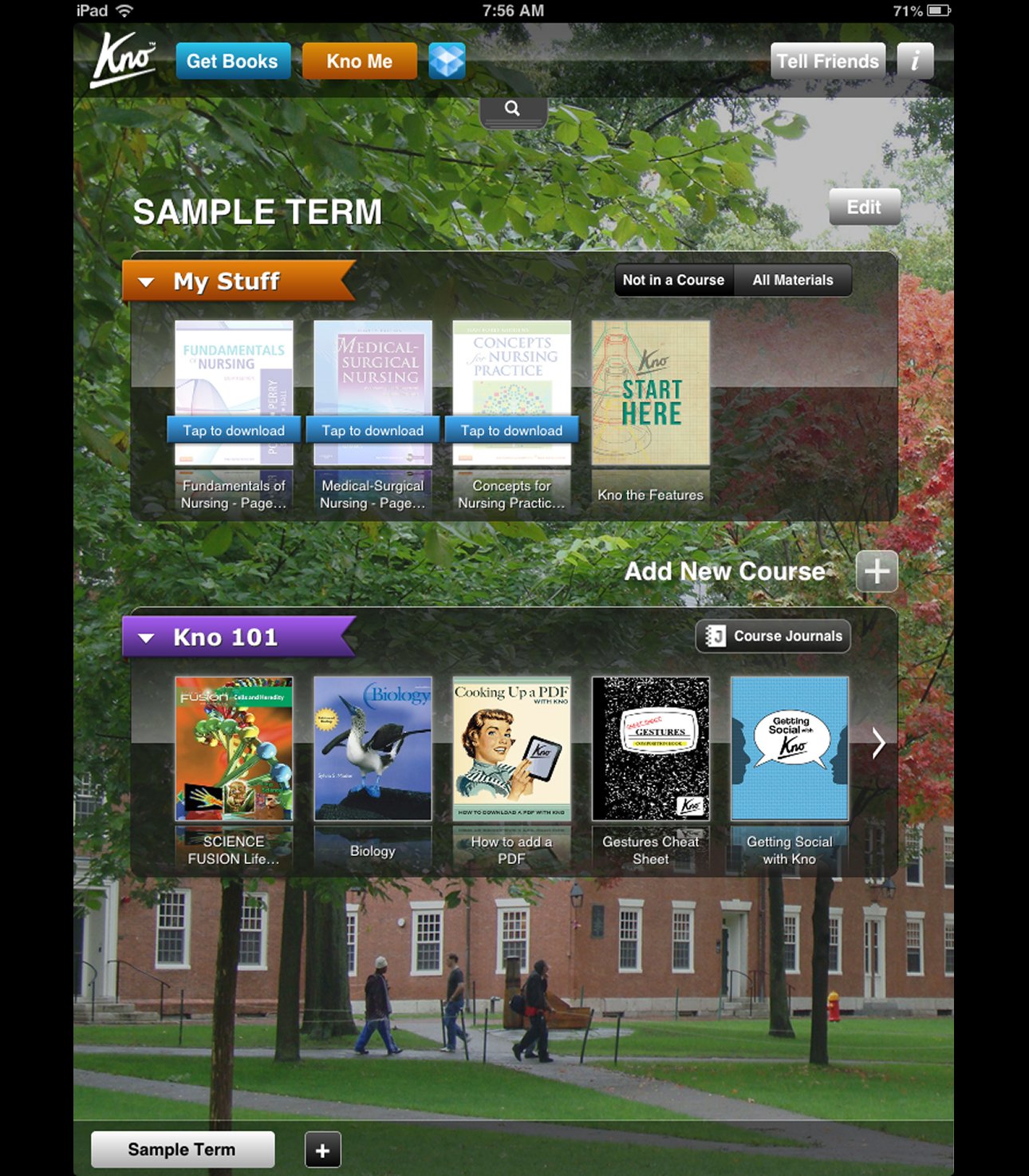
1. The design of the home screen before the re-design
-
![]()
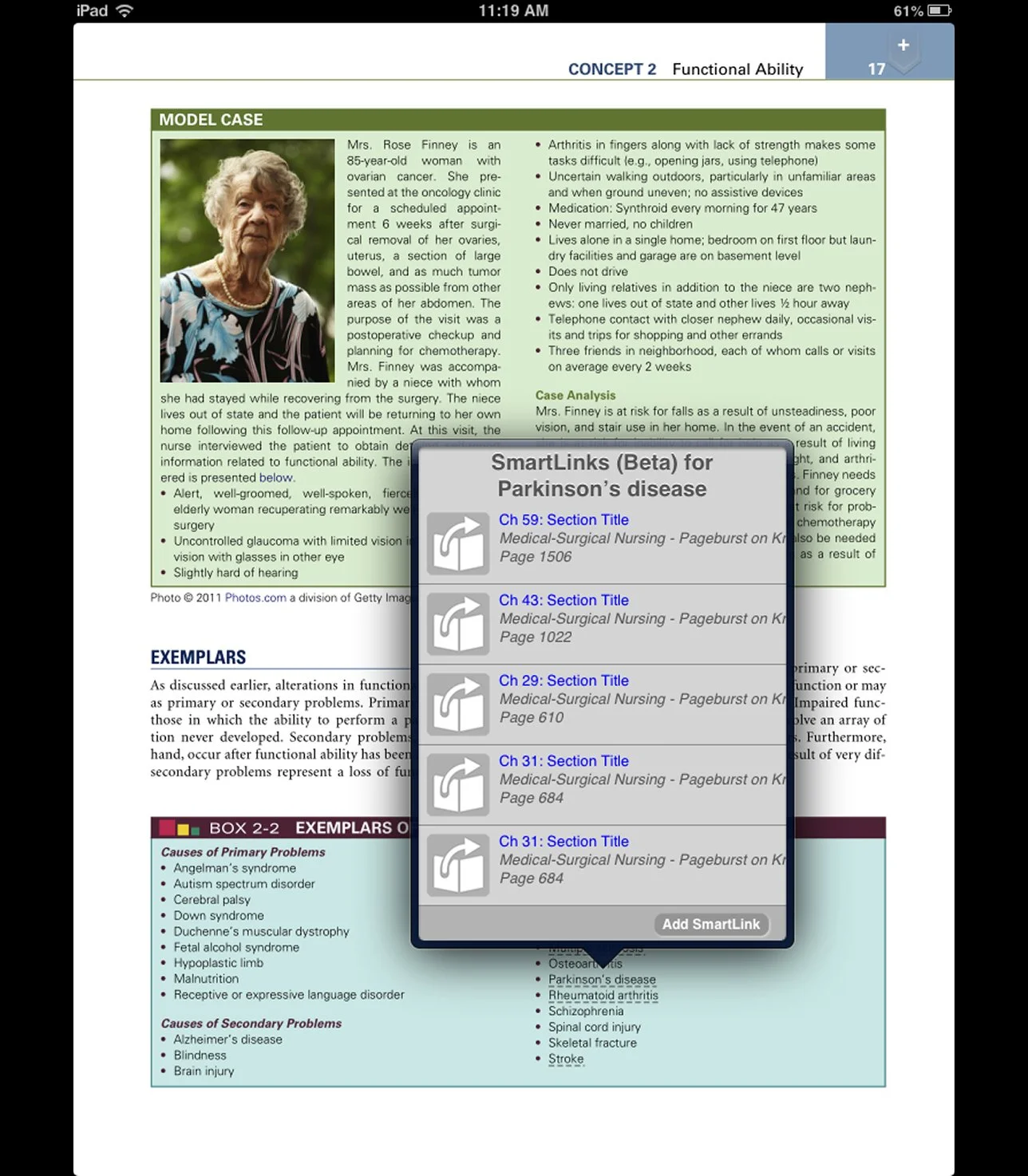
2. Original design for Smart Links. Enhancing the textbook with as a popup.
-
![]()
3. Original skewmorphic design of the flashcards functionality.
-
![]()
4. Original design of the journal functionality. A way to view all of the annotations and comments to the textbook.
How it was made
The process of designing the interfaces, features, and design system for Kno apps across platforms.
The Team
Andrew Sawyer – Visual Design
Josh Hall – Creative Director
Robert Girvin – UX
Ityam Deshpande – UX
Thomas Hanna – Content
Daniel Annese – Visual Design