
Ticketing Experiences a full ecosystem
Client:
The California Academy of Sciences museum
San Francisco, CA
2019 — 2024
During my time at the museum, I developed a series of projects to aid the ticketing experience. This included touchpoints for rebuilding a responsive web experinece with Tessitura, QR based mobile tickets, on-site kiosks, ticket office display screens, and other ticketing enhancements
When migrating to a new e-commerce platform we had an opportunity to rework information architecture, site UX, and visual language for web transactions. The goal was to make the broad product stack easier to navigate and focus the ticket buyer to the right products based on how many people are in their party and when they want to visit. Part of this project was also implementing dynamic pricing for ticketing.
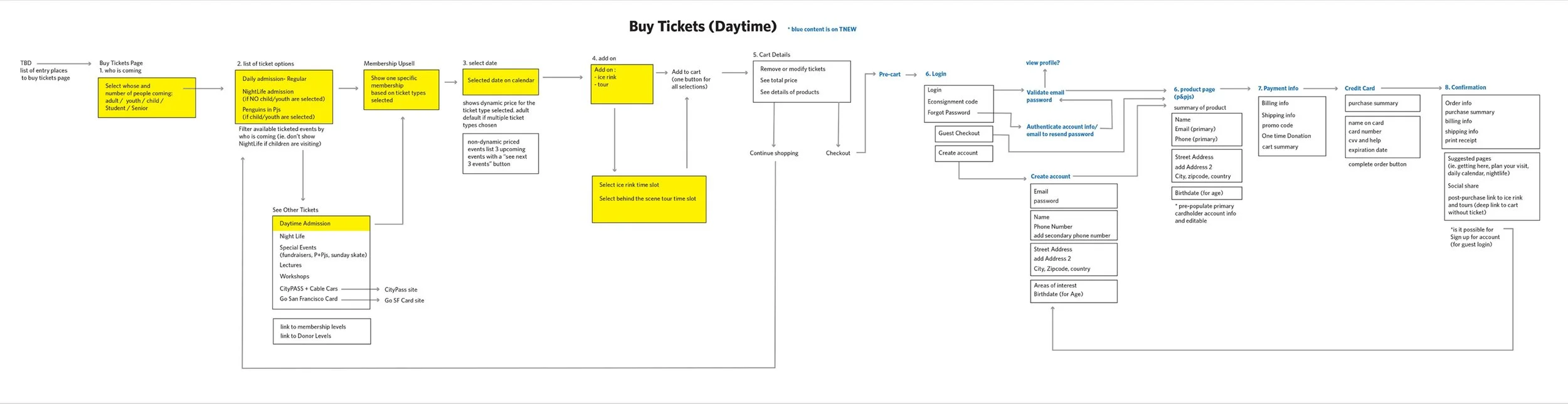
Ticketing purchase user flow
-
![]()
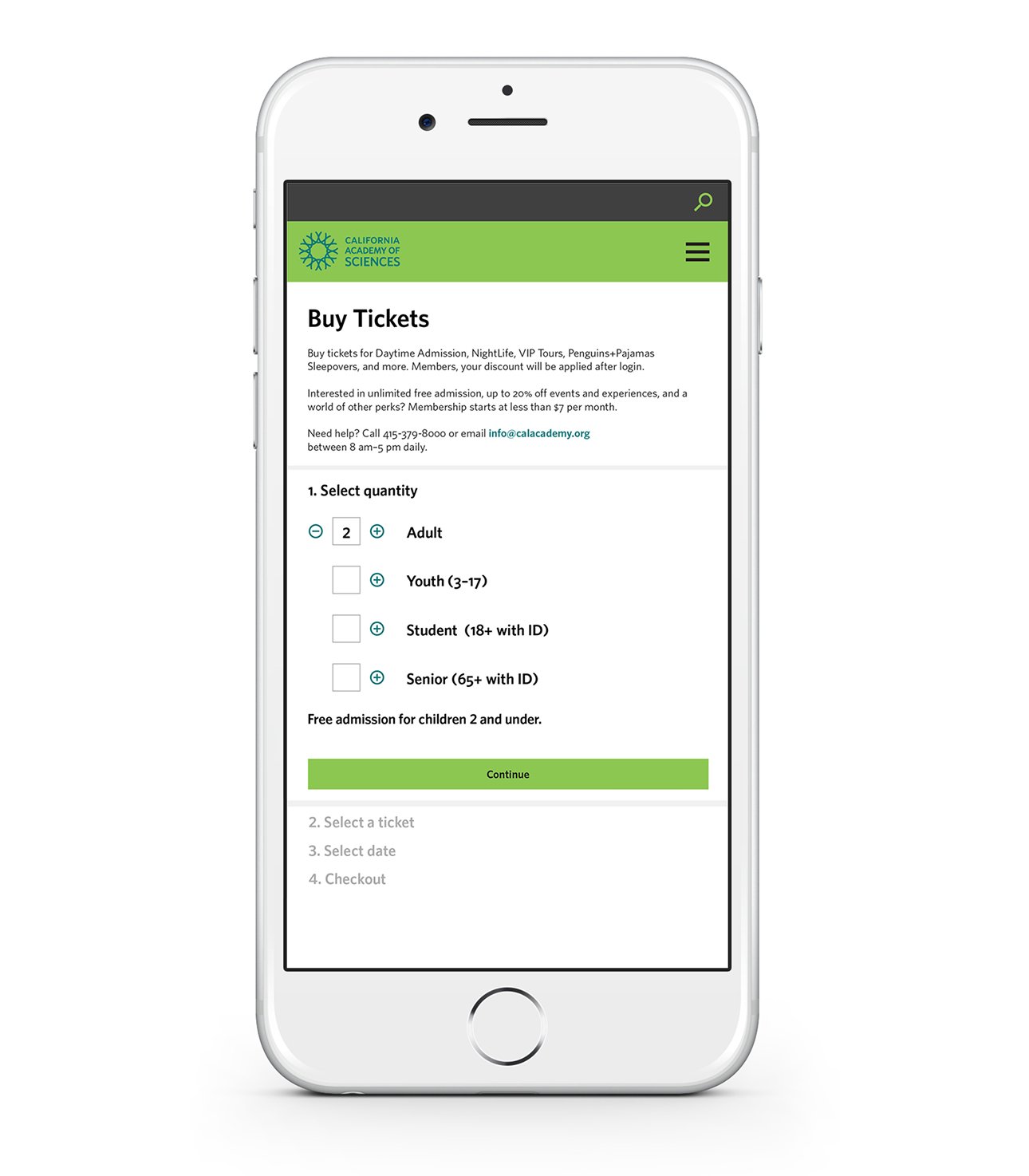
1. Buy Tickets page. Starting the ticketing flow with the number of visitors
-
![]()
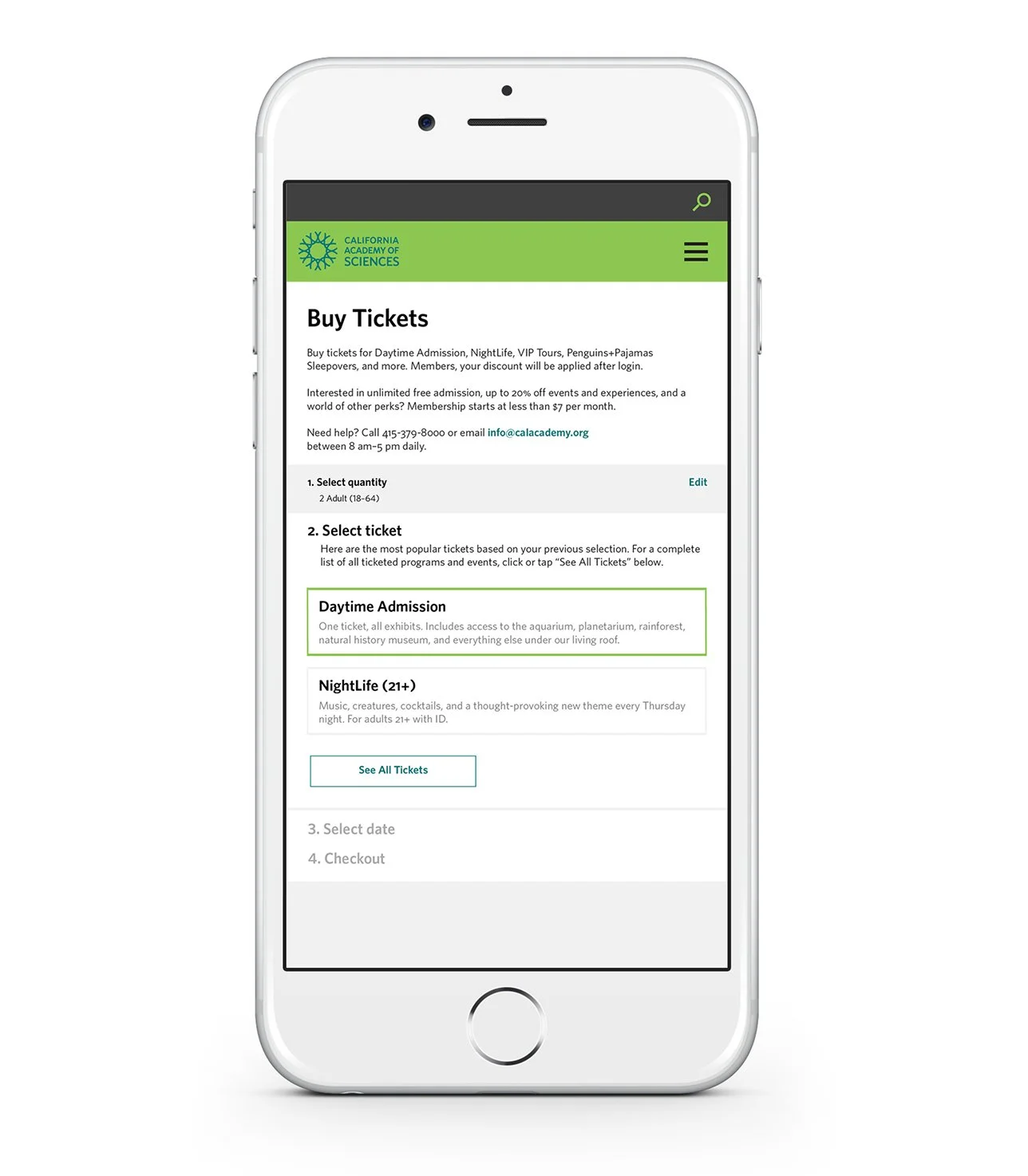
2. Second step to selecting a ticket type. “See All Tickets” reveals a longer list of ticketed events all that match the age ranges of the selected guests. For instance, 21+ events for adults would not be shown to parties including children.
-
![]()
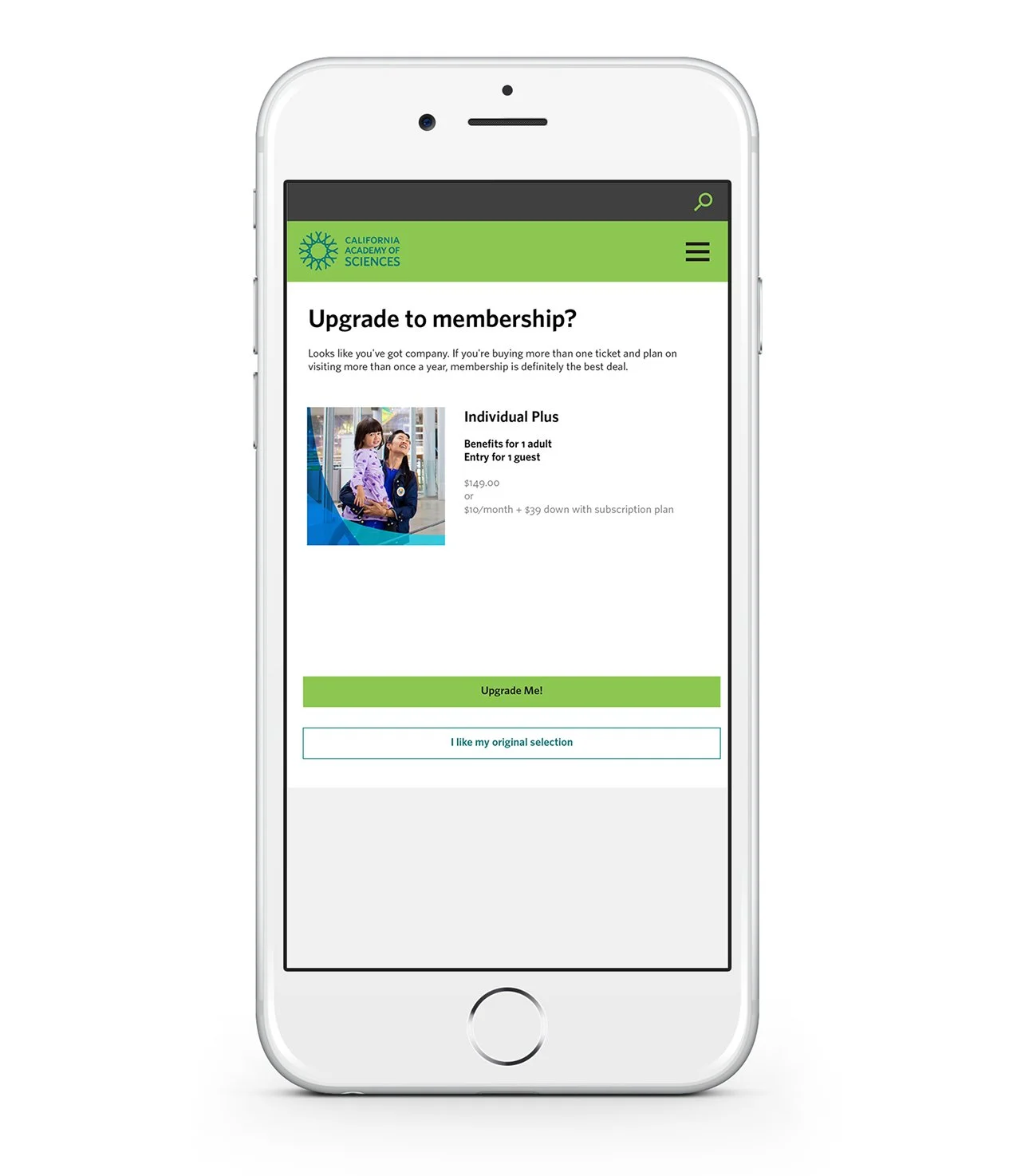
3. Membership Upsell. A membership level that aligns with the previous selections (ticket types and quantity of visitors) is presented as interstitial screen.
-
![]()
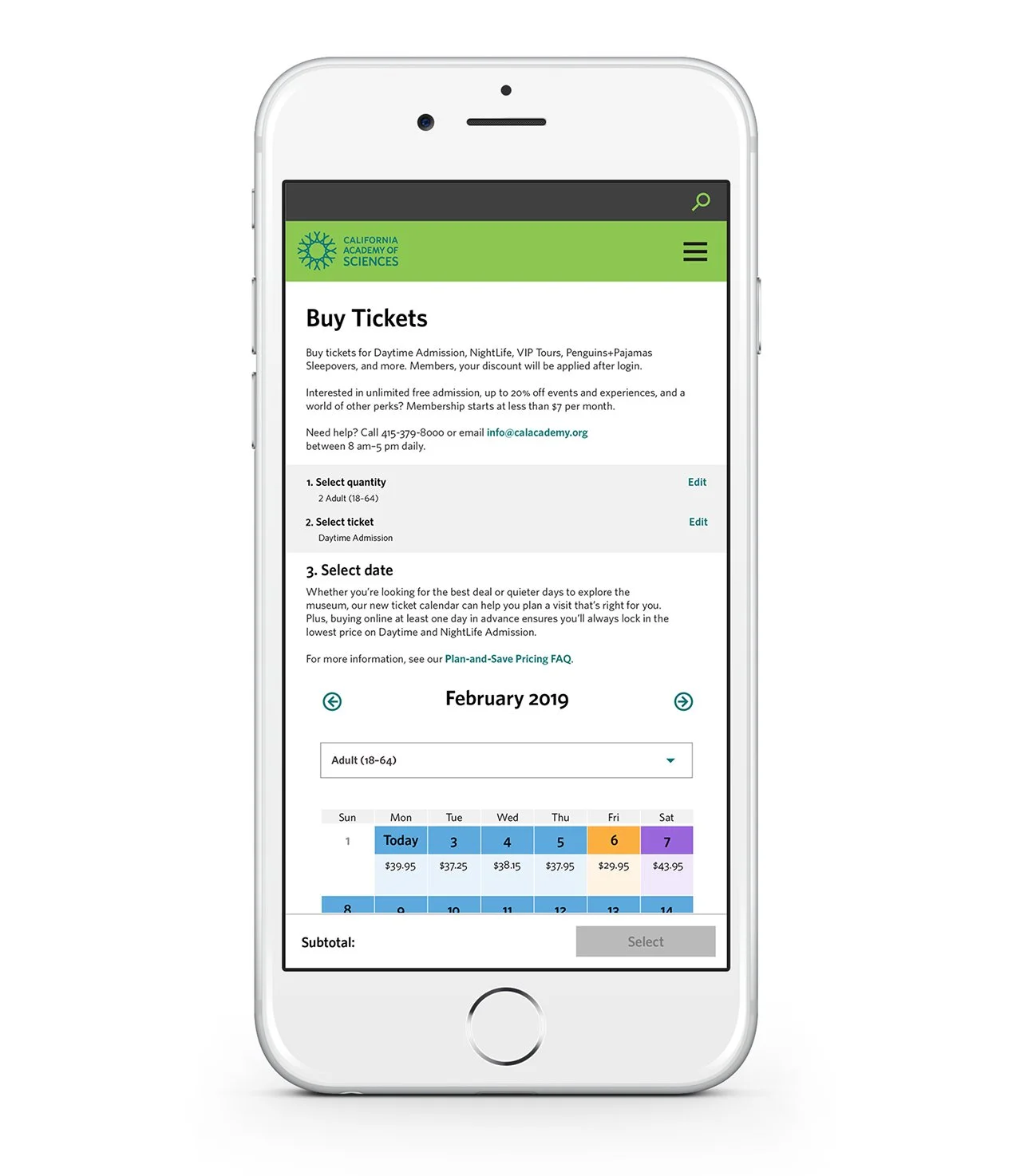
4. Selecting a visit date. This calendar is color coded to indicate ticket tier prices. I later updated this screen to remove the calendar when we shifted to a dynamic pricing model.
-
![]()
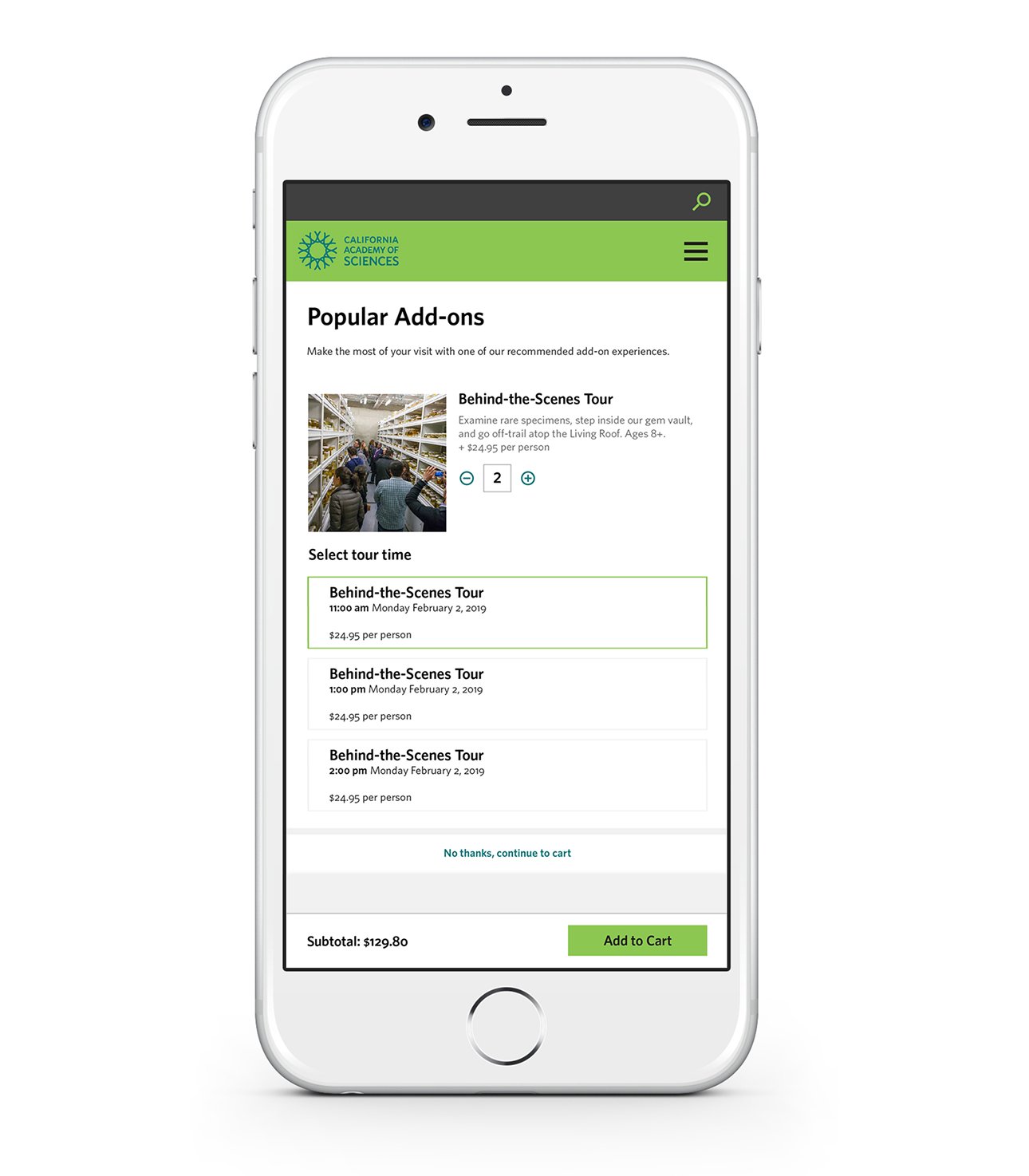
5. Add on product screen. This list expanded to include additional daily ticketed events.
-
![]()
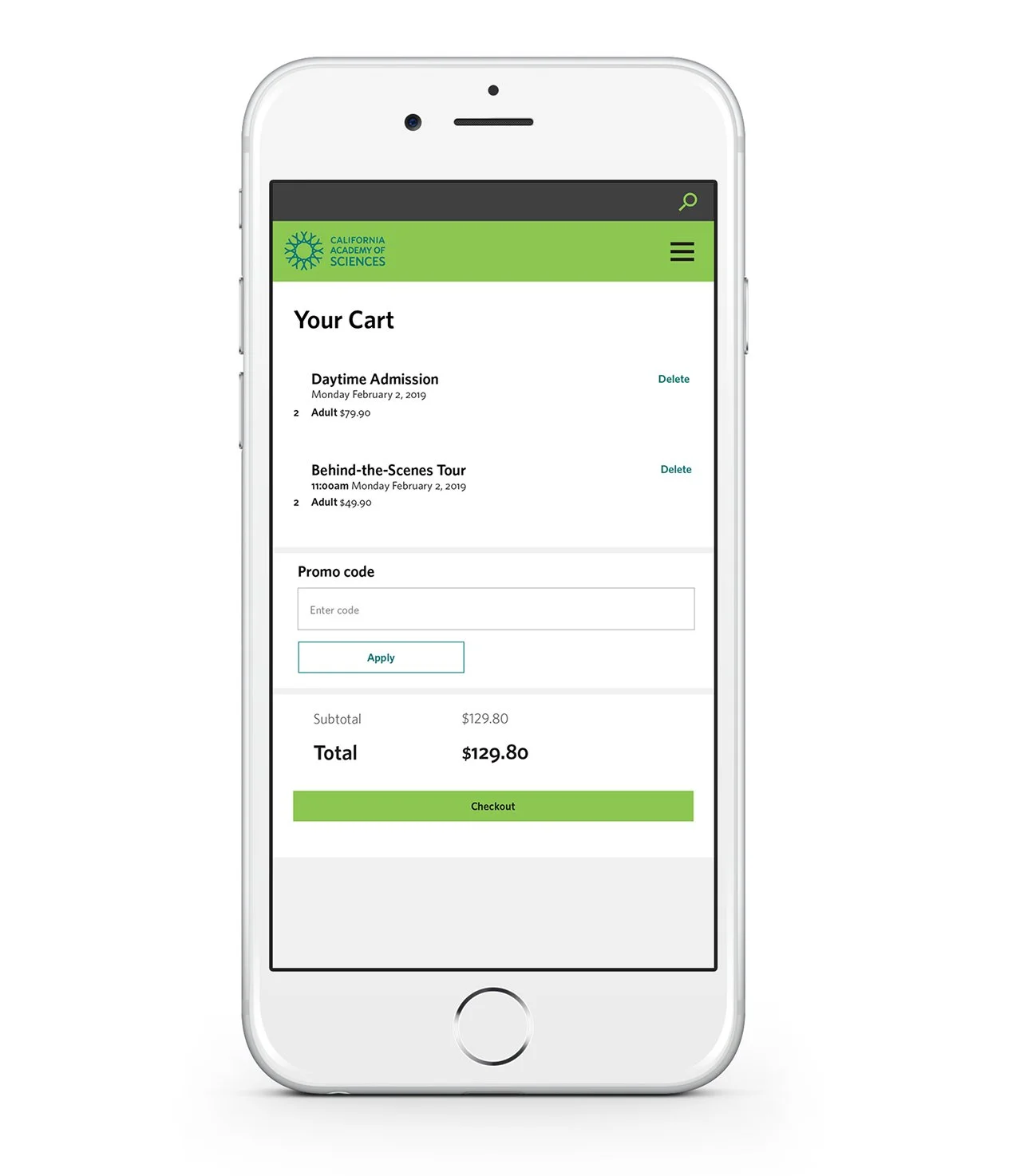
6. Cart screen with summary of product and ticket selections.
-
![]()
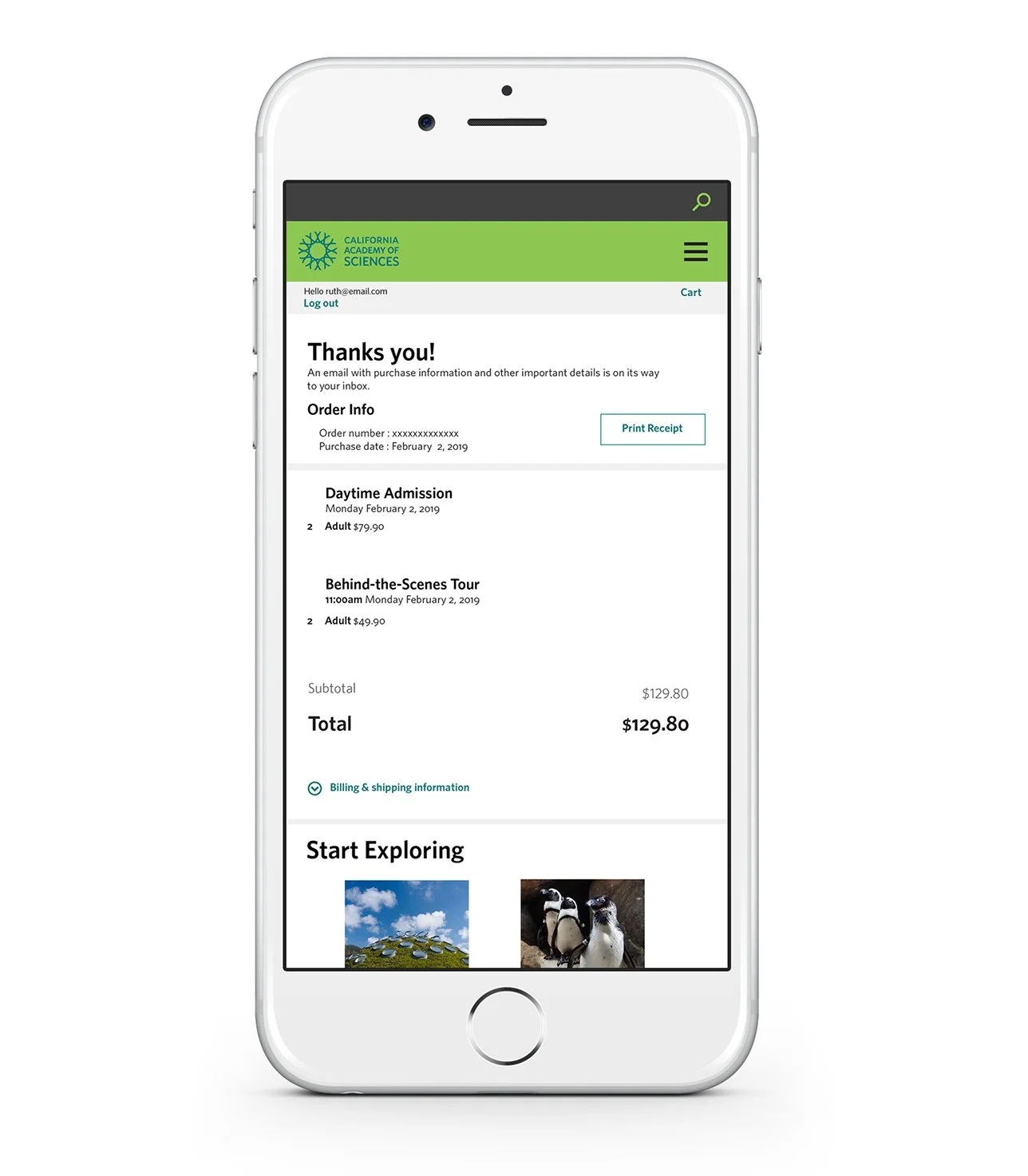
7. After completing the checkout flow this is the receipt. Links to key web pages are linked under “Start Exploring” such as daily calendar and ways to get there. A copy was also emailed.
-
![]()
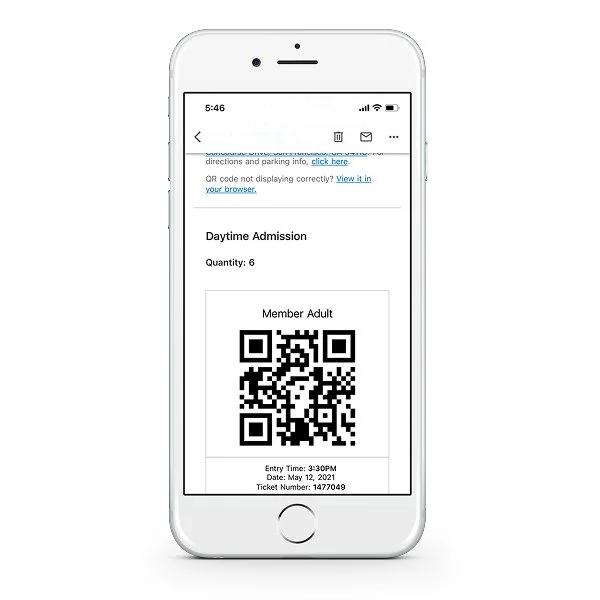
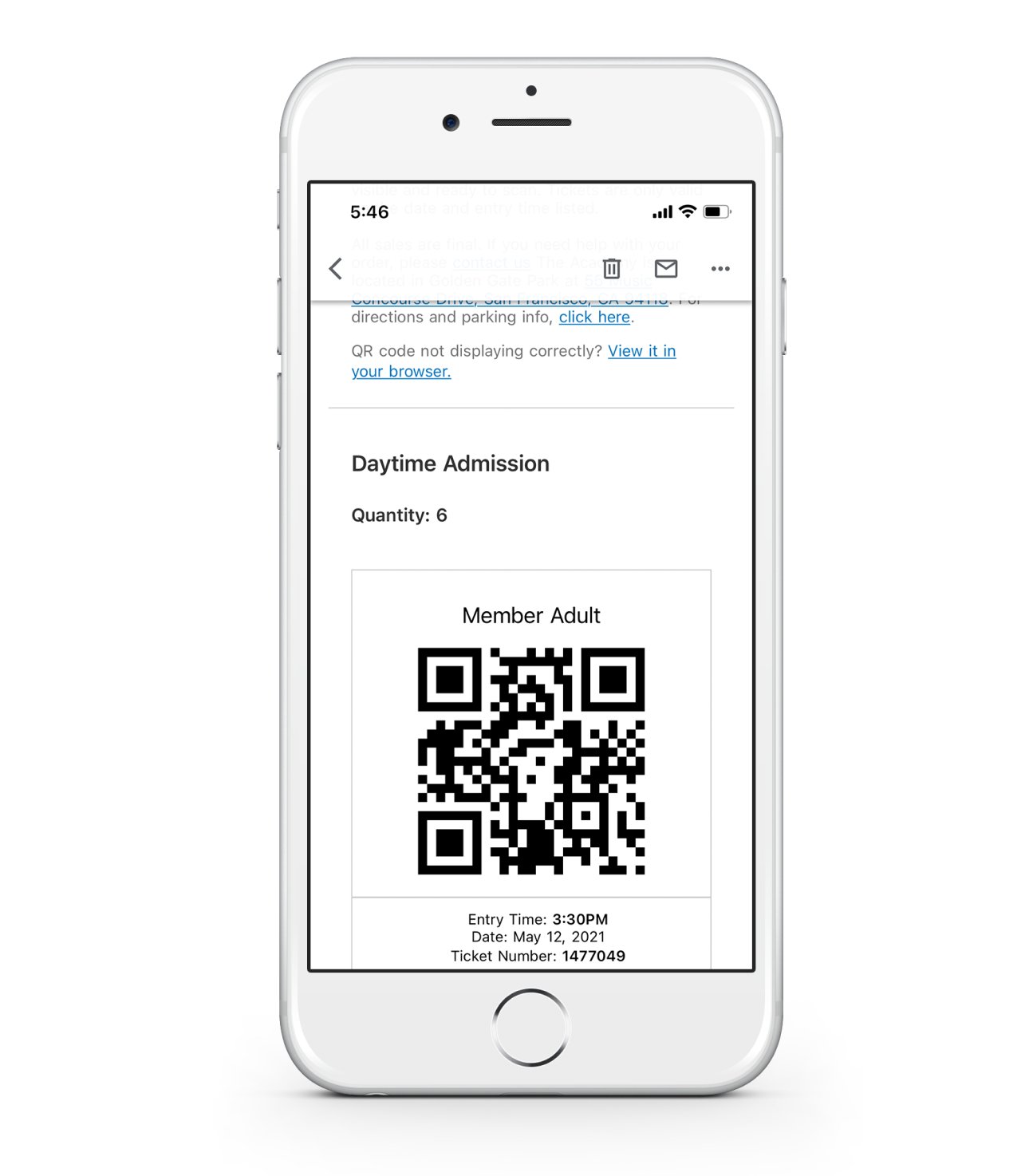
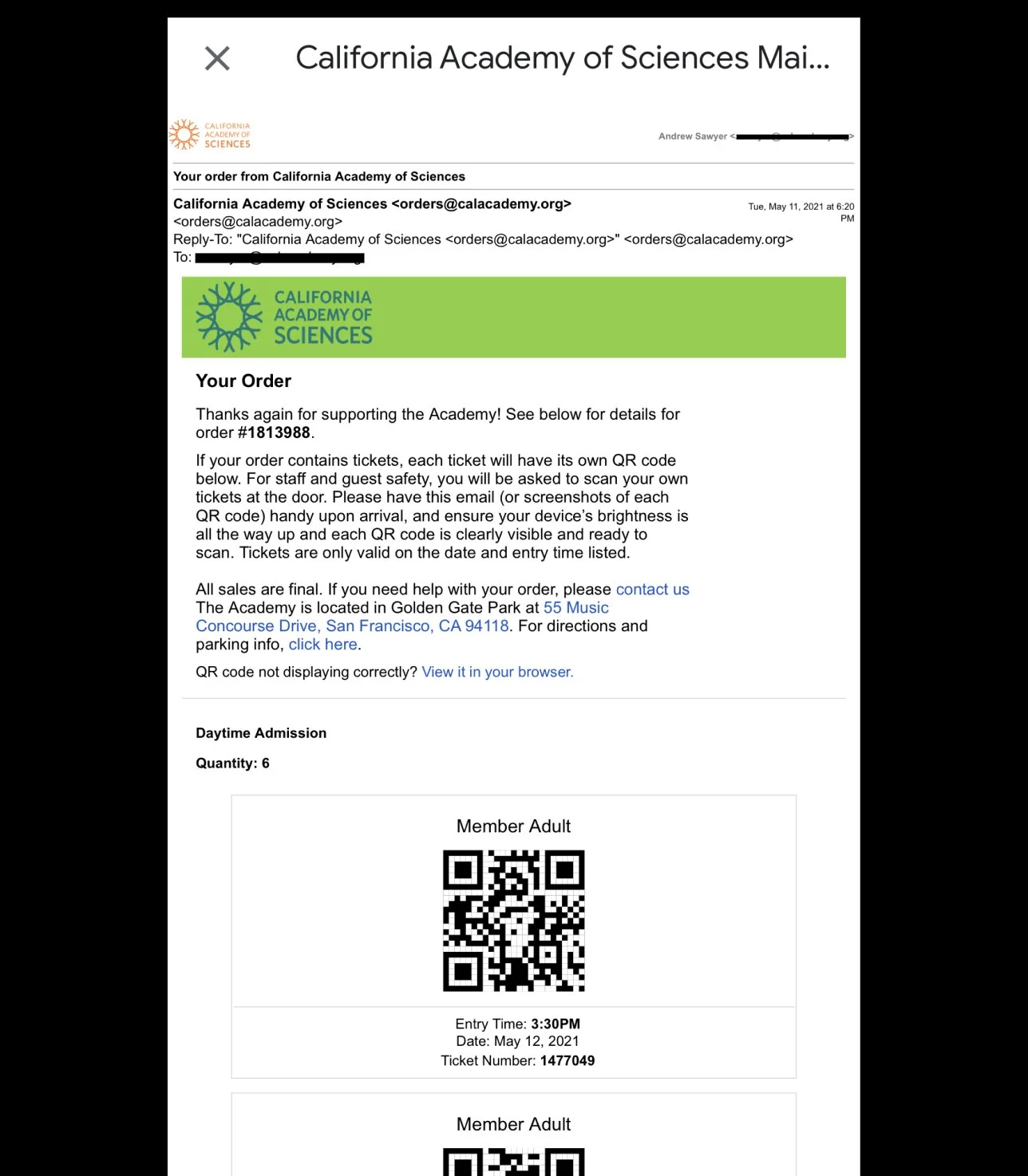
8. Mobile QR ticket the visitor received in an receipt email
The larger ticketing experience ( visitor touchpoints)
-
![]()
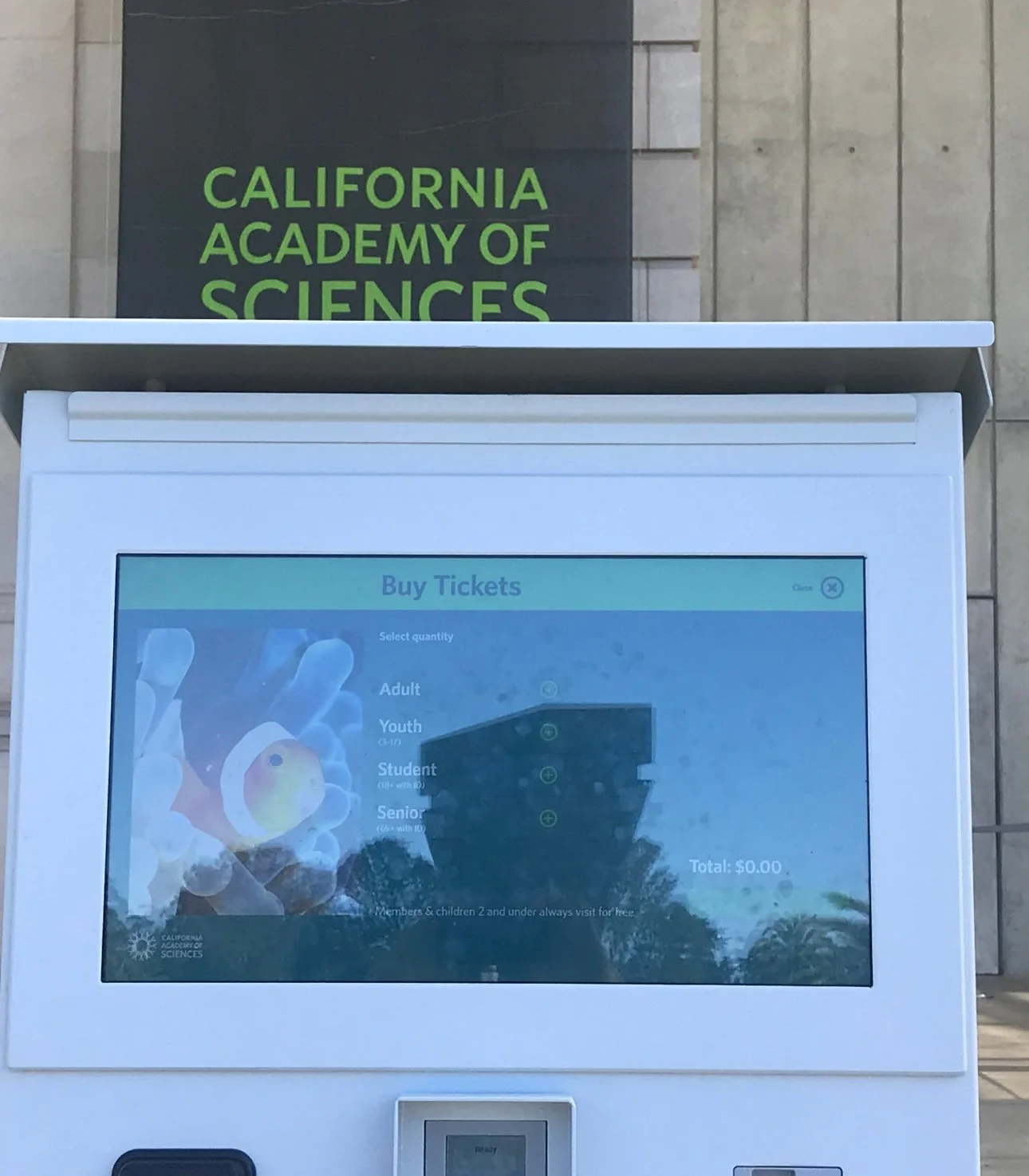
1. Self-checkout kiosk for same day ticket purchasing out front of the museum.
-
![]()
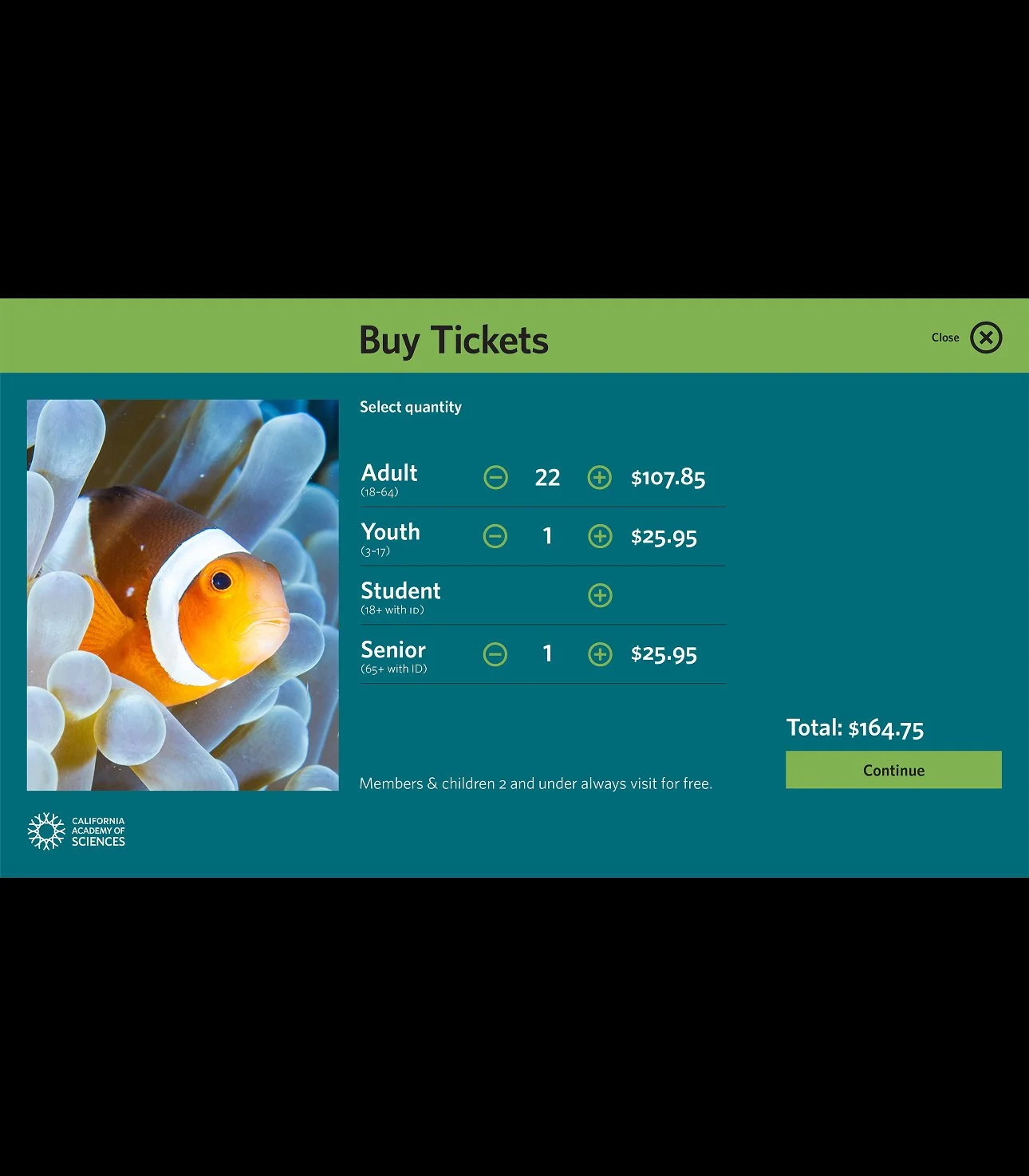
2. Example of the ticket selection screen for the kiosk.
-
![]()
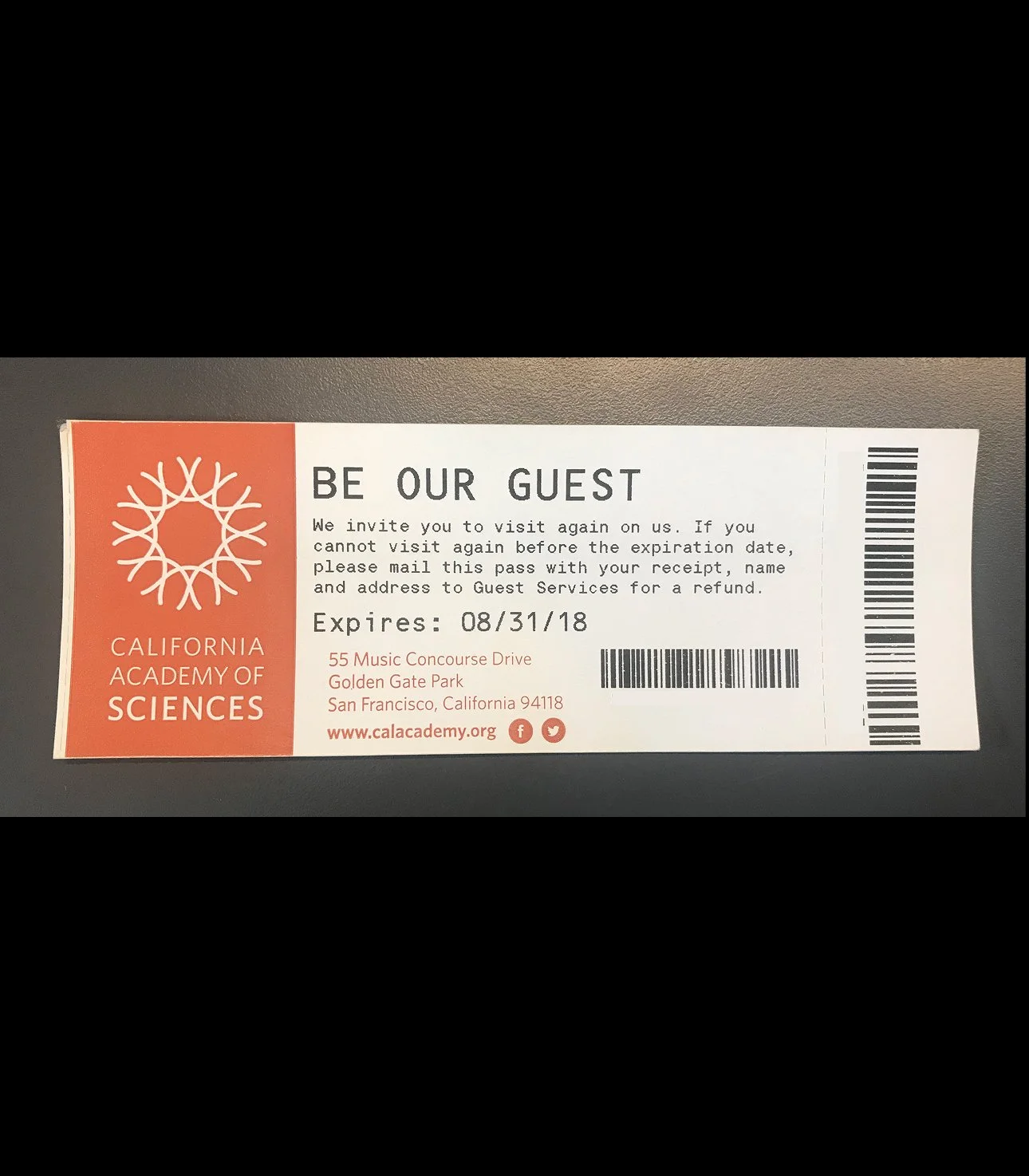
3. Example of the printed ticket. These are given out at both the ticket kiosk, and front of house ticket desk.
-
![]()
4. Helped establish QR code based tickets for mobile ticketing and more efficient PDF tickets.
-
![]()
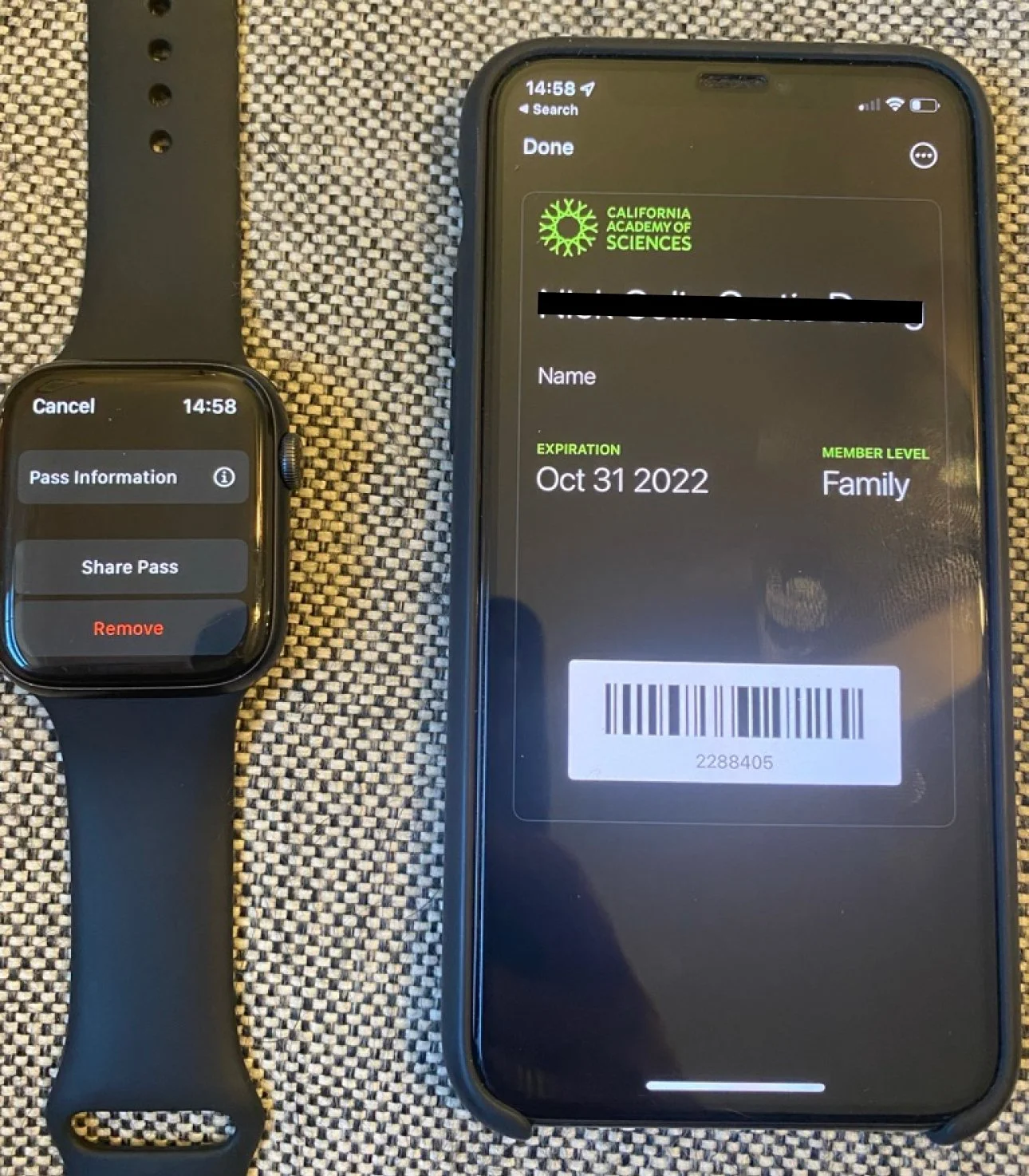
5. We implemented applepay membership cards for additional ways to streamline the museum entrance experience.
-
![]()
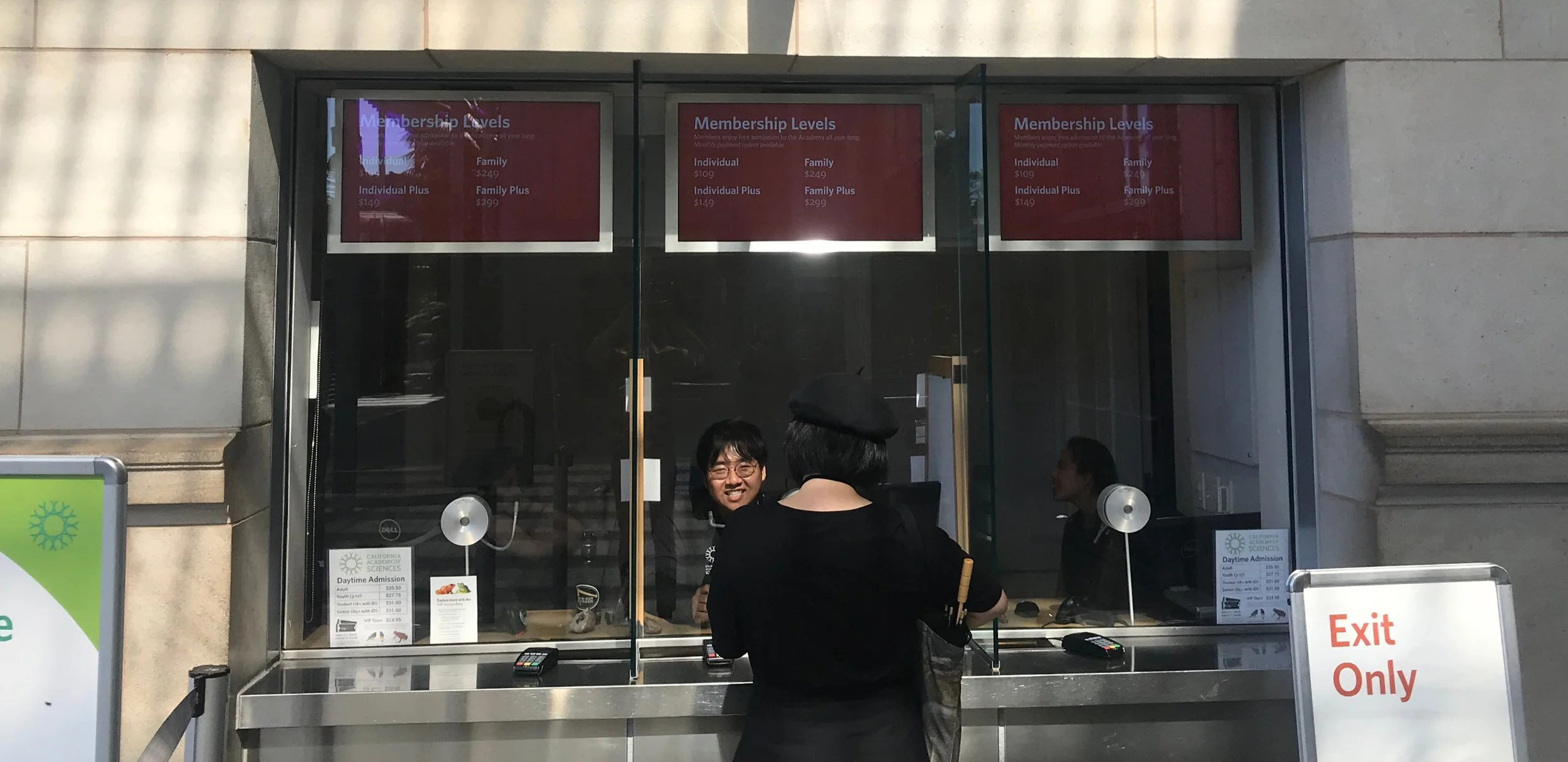
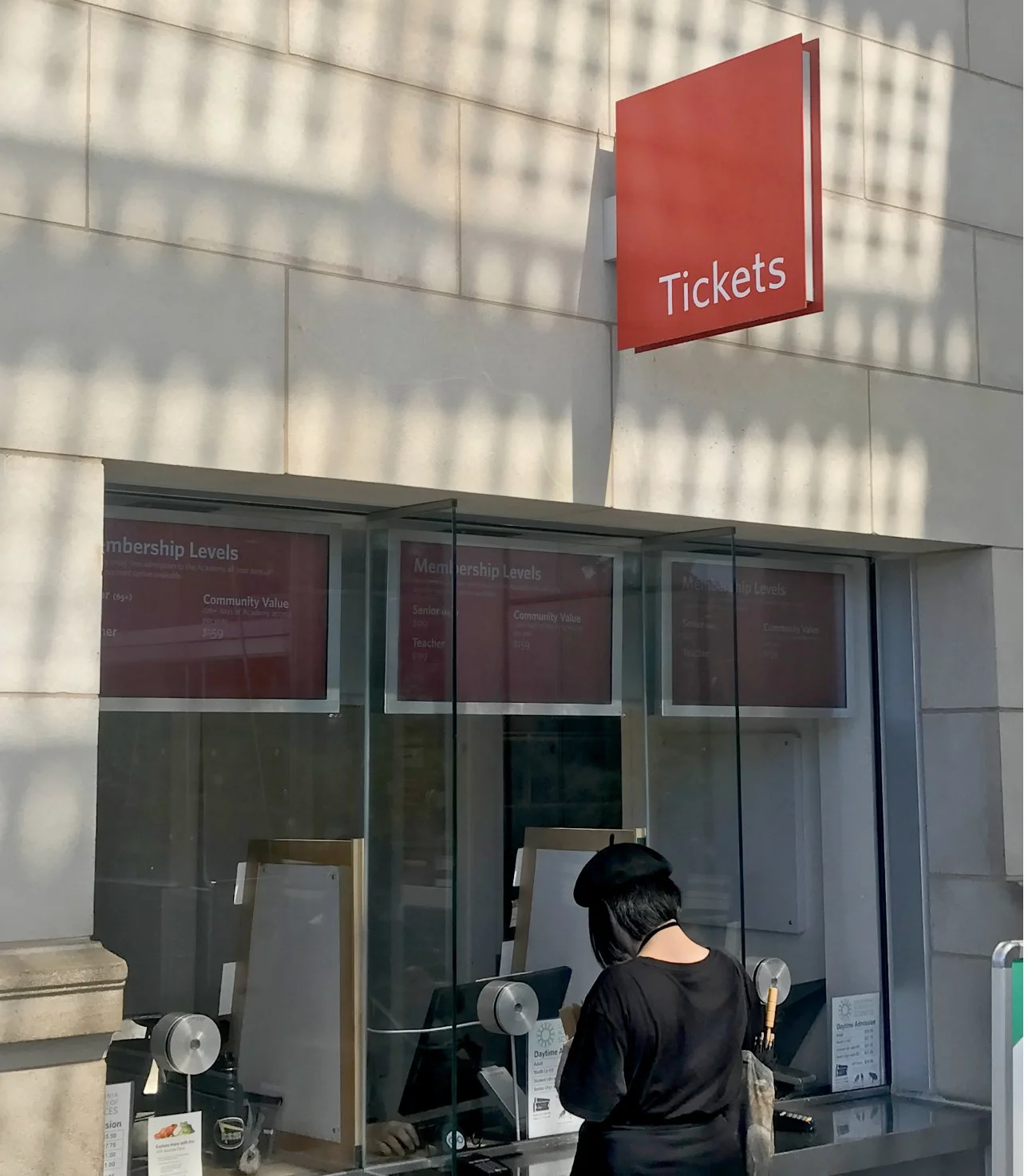
6. In-situ view of the ticket office display screens installed. These screens cycle through important information about ticketing, membership, and museum hours.
-
![]()
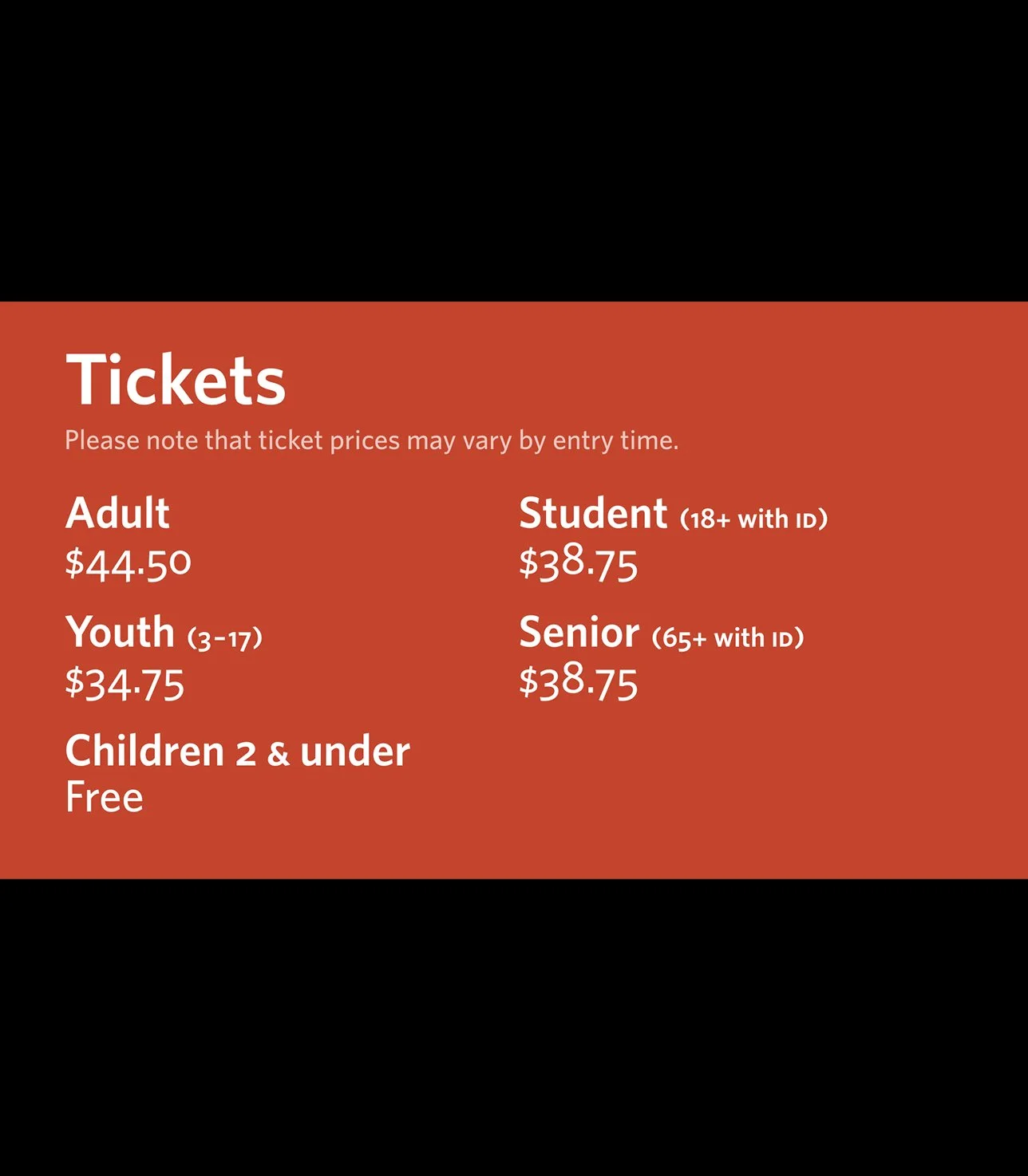
7. Example screen of the ticket office display - ticket type information for dynamically priced daily tickets.
-
![]()
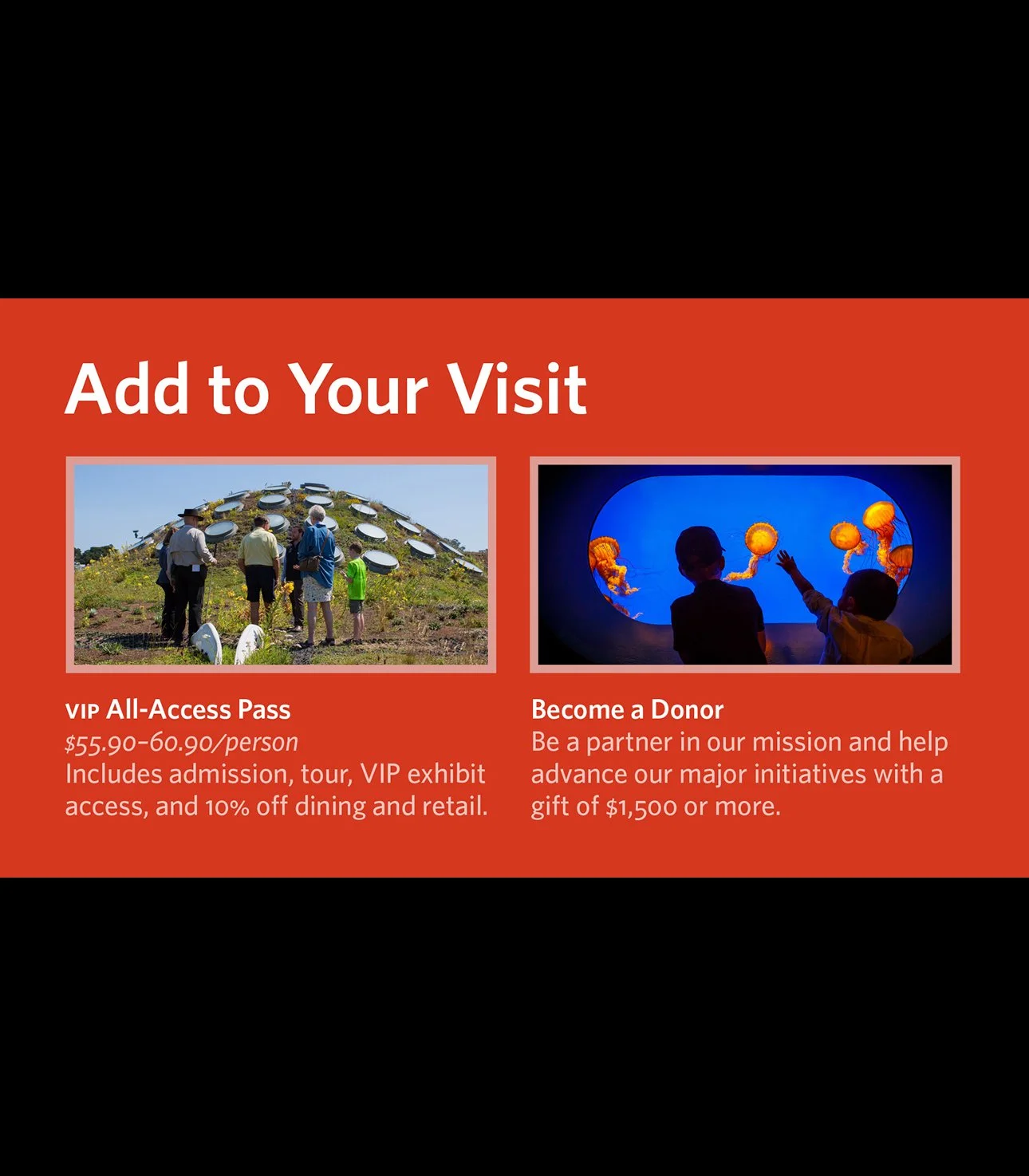
8. Example screen of the ticket office display - page with blocks to advertise ways to add on to the experience, updated seasonally.
-
![]()
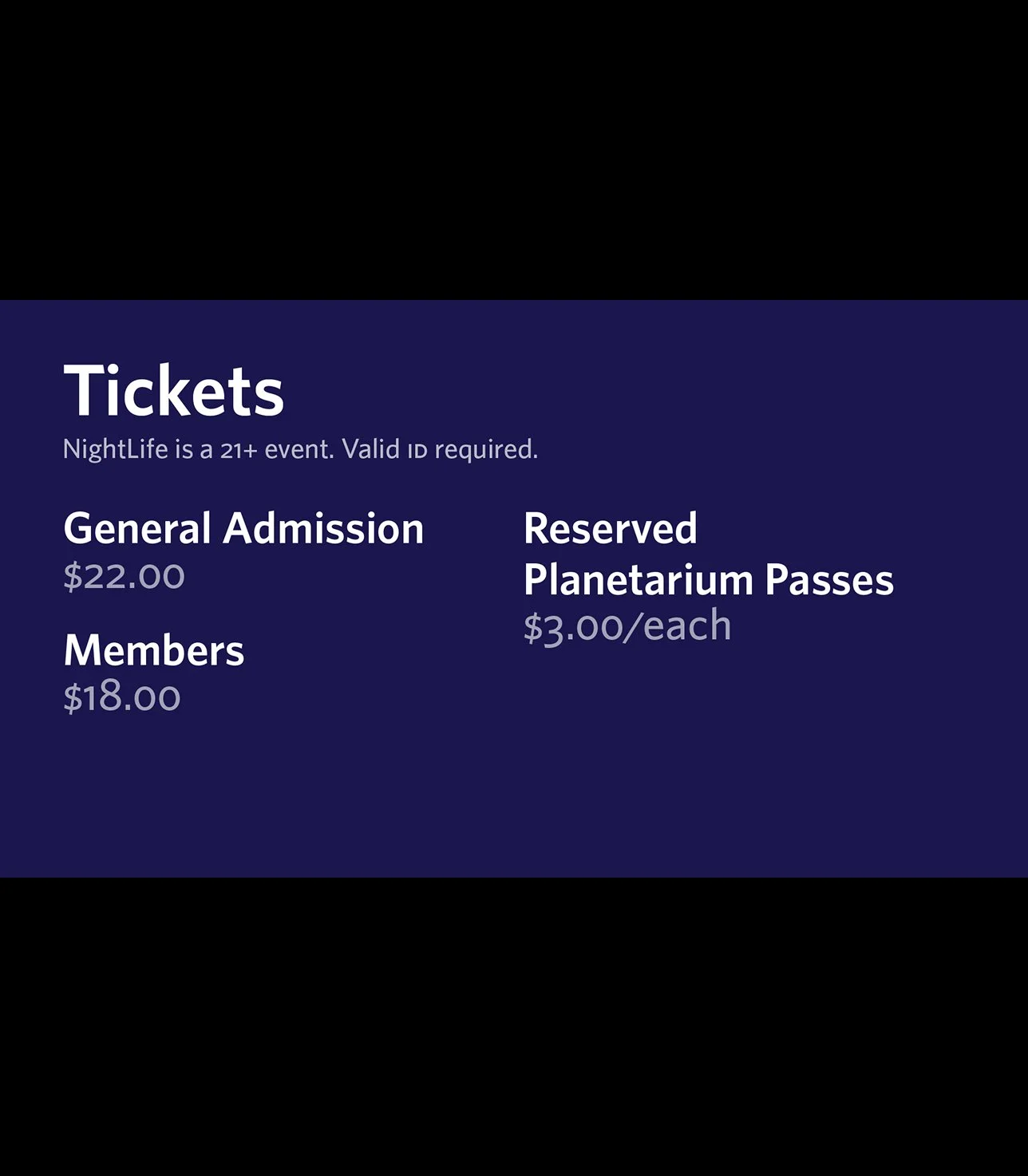
9. Example screen of the ticket office display - NightLife ticket types
-
![]()
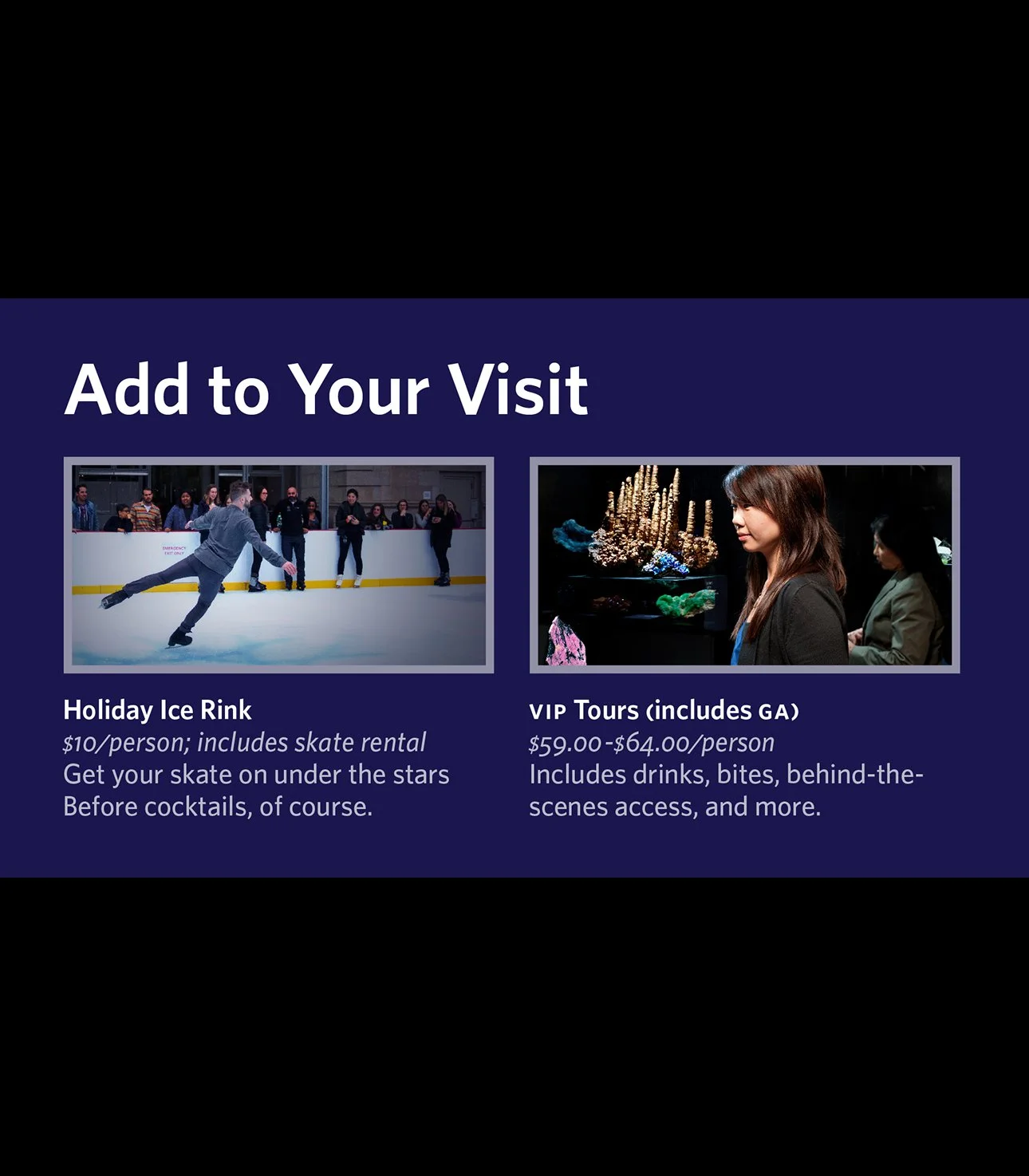
10. Example screen of the ticket office display - NightLife view with add on experiences. I was also photographed ice skating when we had an on-site ice rink to advertise the add on ticket.
NightLife - Ticketing widget
NightLife, a popular weekly 21+ event series, needed this widget for easier purchasing and a quicker way to buy event specific tickets.
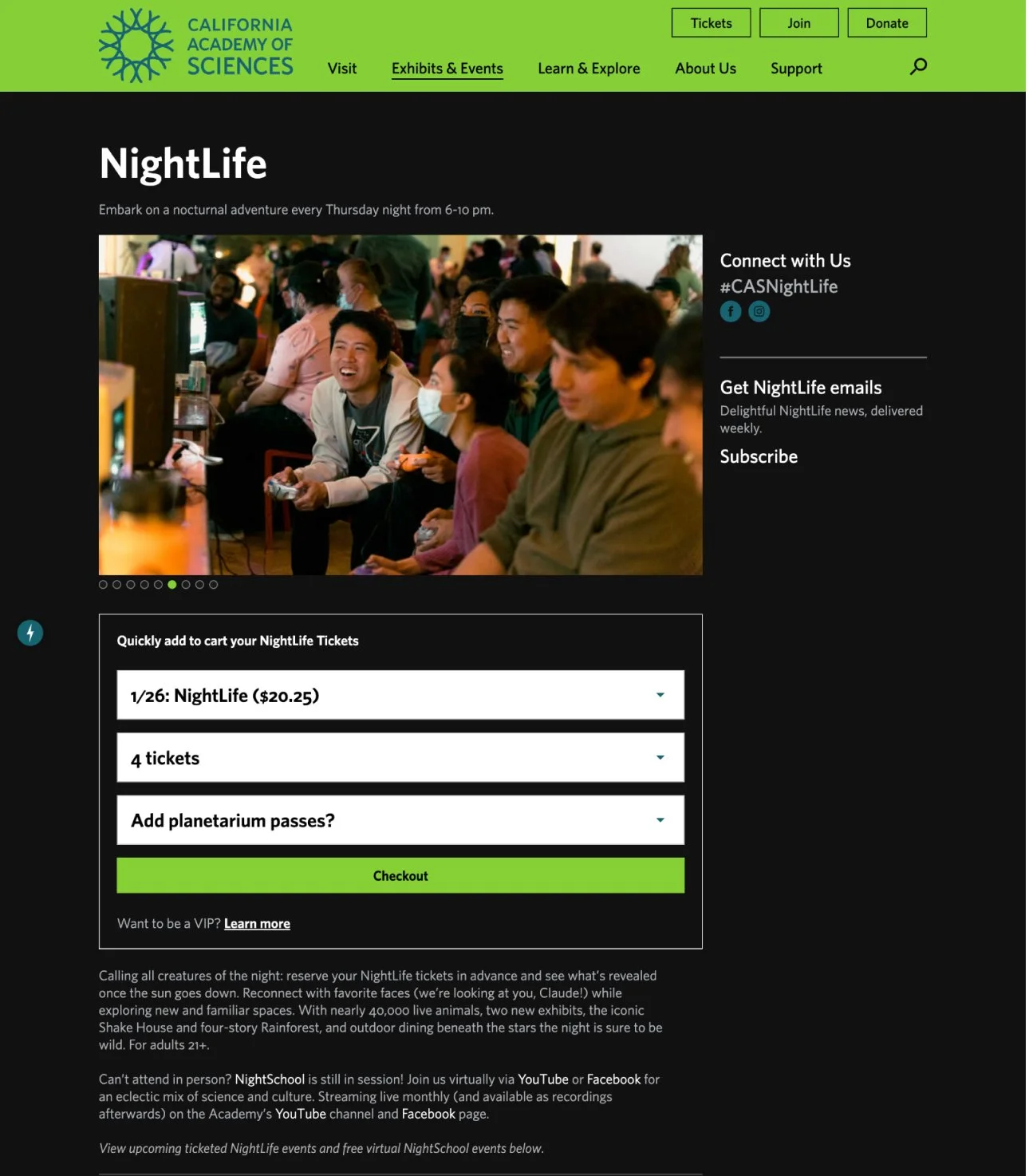
Designed a quick purchase widget. The date dropdown menu was auto-populated with the upcoming NightLife event. This widget was applied to the NightLife landing page and every event page.
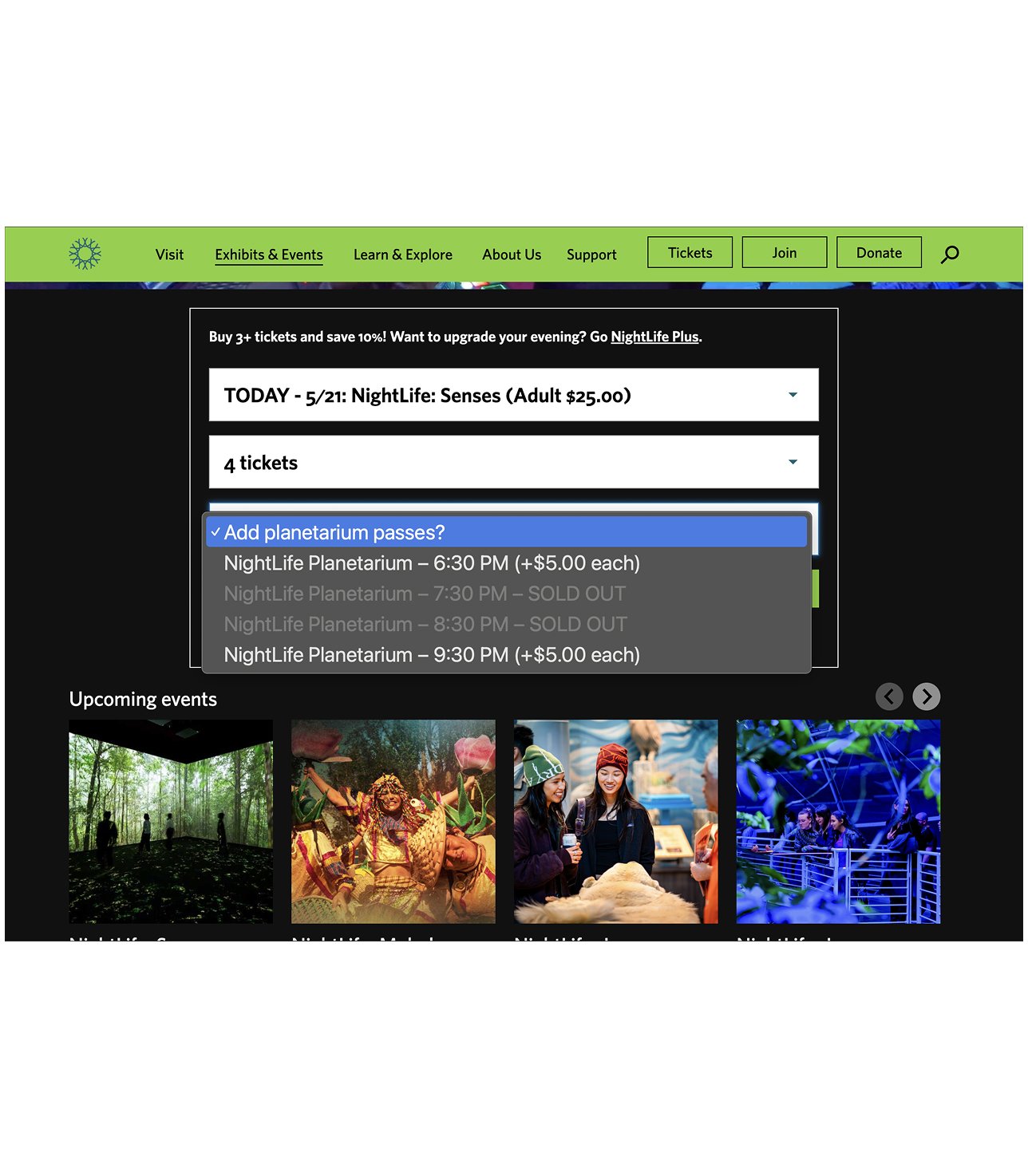
View when adding an optional add-on ticket for the planetarium. Sold out show times are indicated in the same way a sold out event would be an unselectable row in the dropdown menu.
Membership - Compare chart
With a wide array of membership options (each with their own features) this chart became a valuable tool for purchasers.
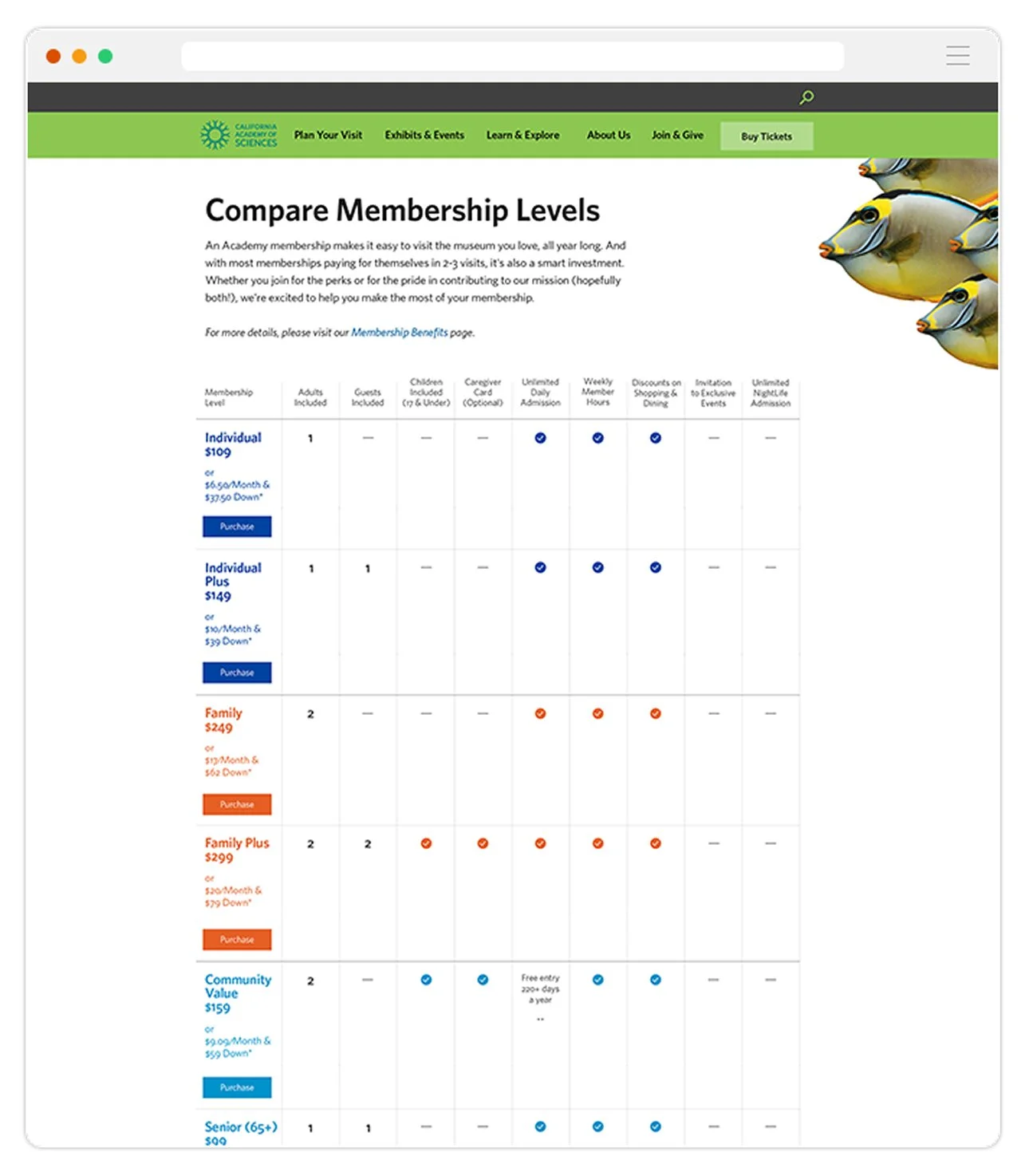
A chart to help a customer understand the value and perks associated with all of the museum membership levels.
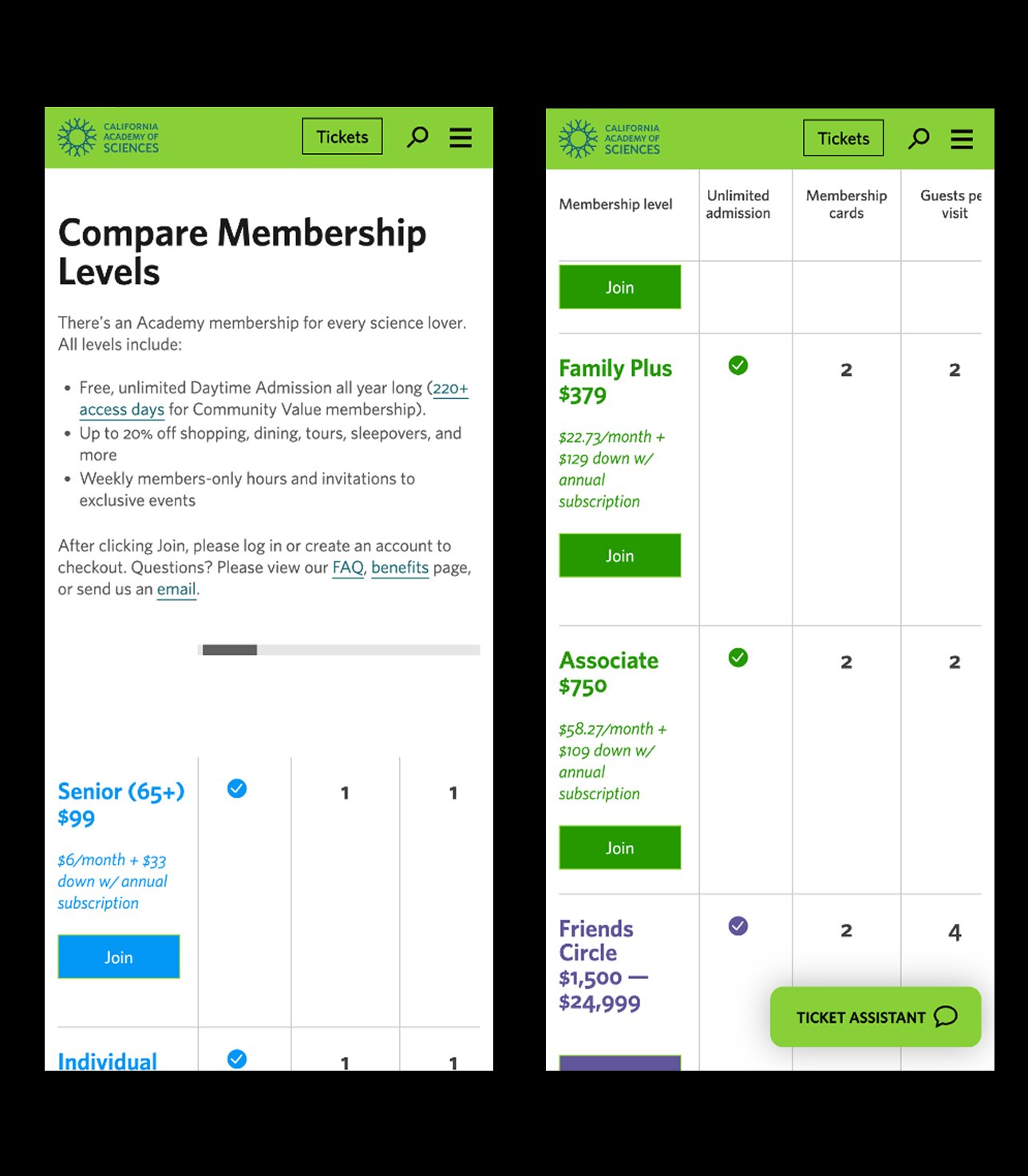
This chart needed to be readable for mobile users as well. The left hand column and column titles stay fixed and the rest of the chart is scrollable.
Sliding scale pricing
For a special museum holiday we implemented a sliding scale selector for a pay-what-you-wish community day. This module was mobile friendly and this sliding scale was deployed for multiple special ticketing priced days.
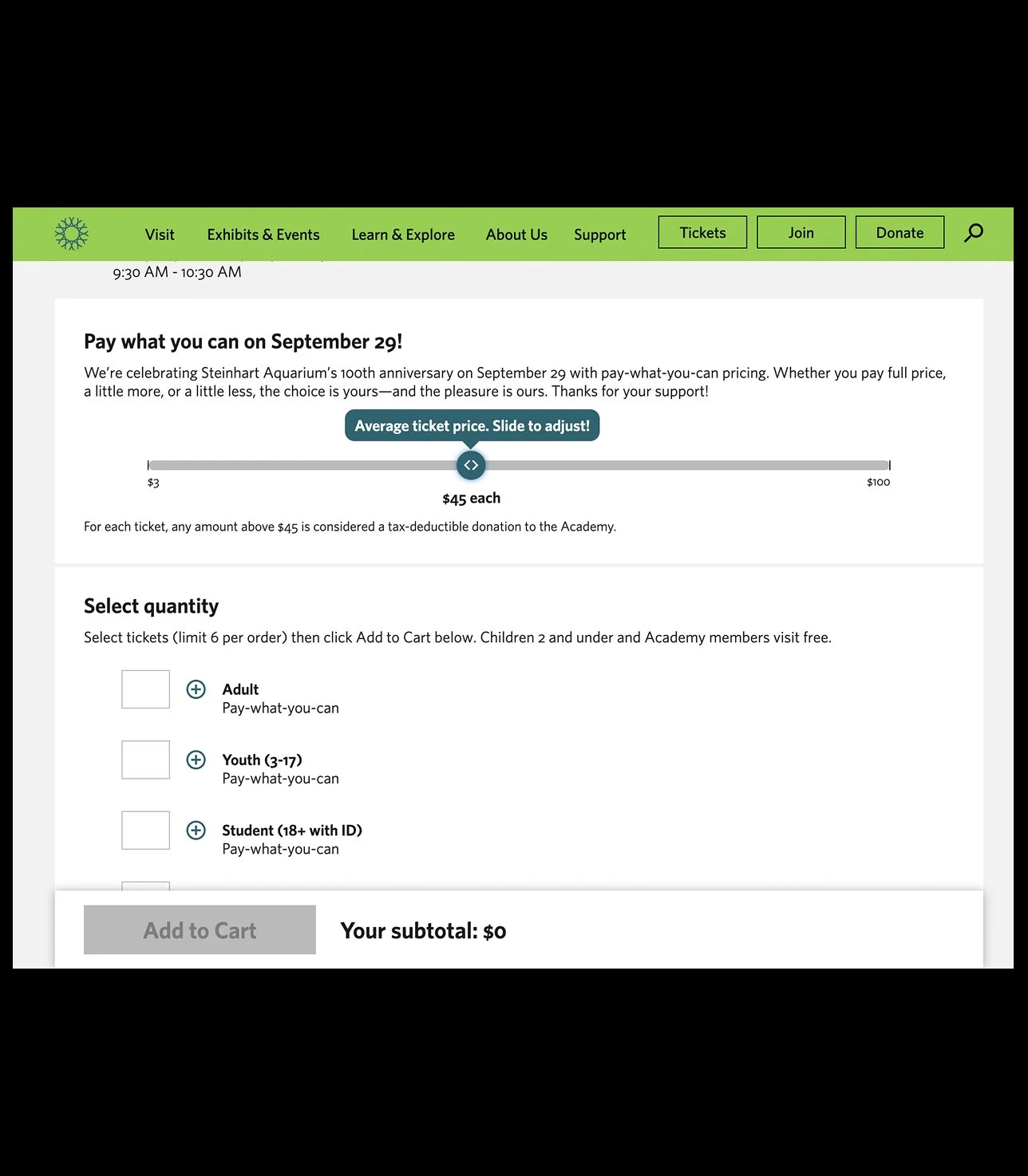
When a visitor first sees this widget, the text indicates the average ticket price with usage directions. The text below each ticket type updates as the visitor moves the slider.
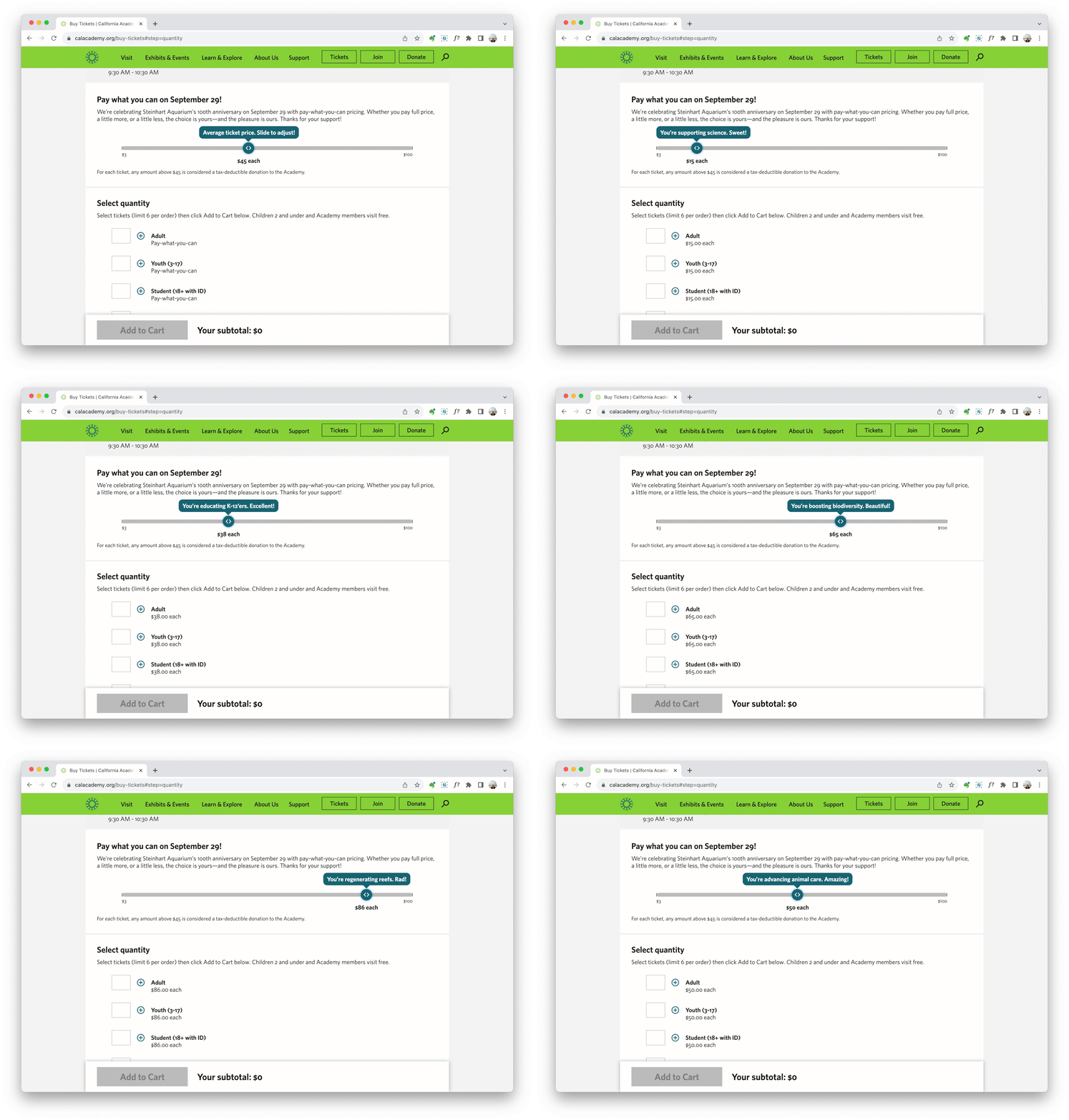
GIF of functionality. The comms team created a series of actions to associate with dollar amounts. These help show the impact of the donation/ticket purchase.
Ticketing website features
Over the years the platform was enhanced with promotion blocks, color coded calendars, brand personality added to 404 and empty cart pages, and a one time donation page.
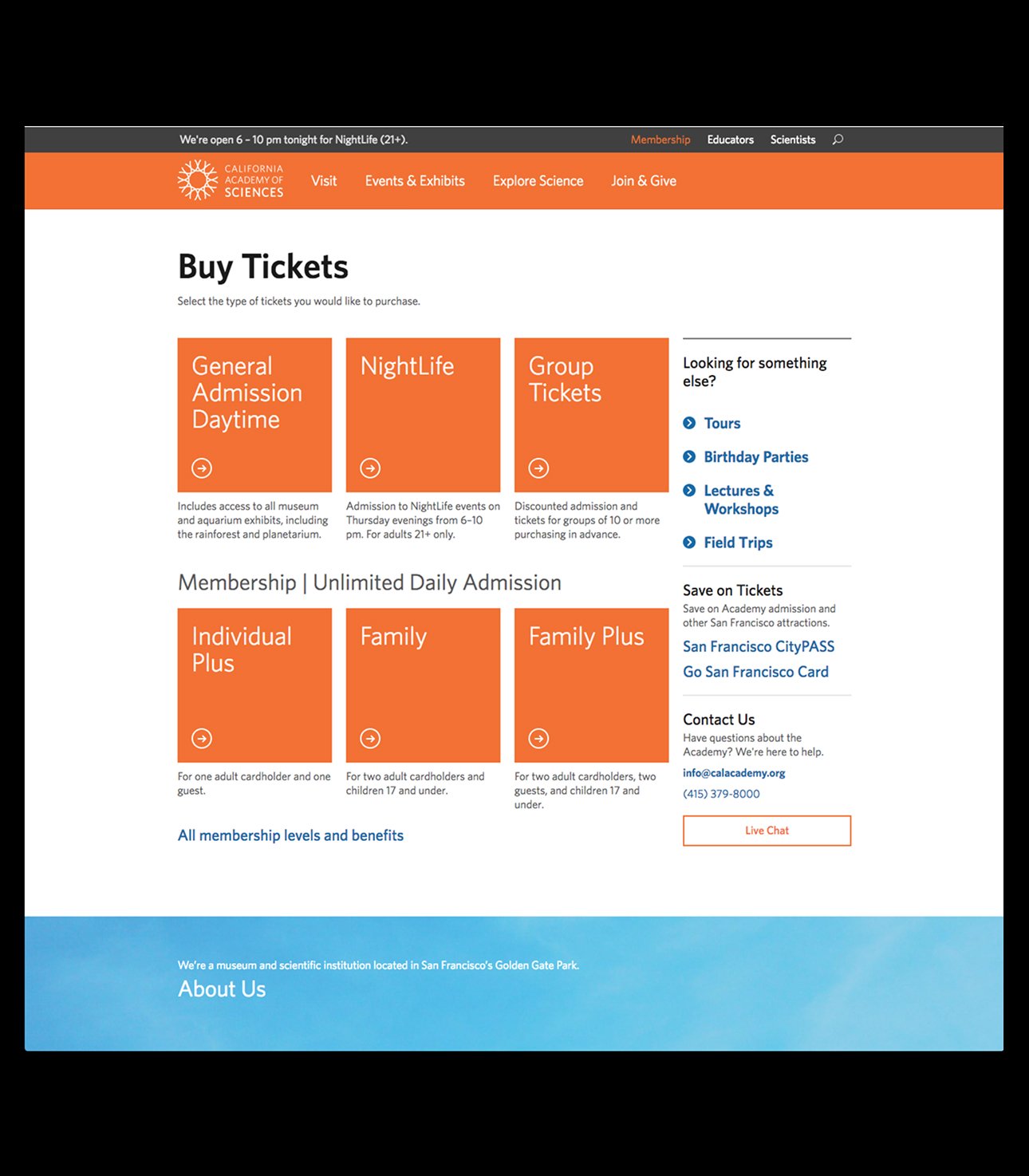
Examples of ticketing website before re-design
-
![]()
1. Original landing page for ticket purchasing in the old colorscheme.
-
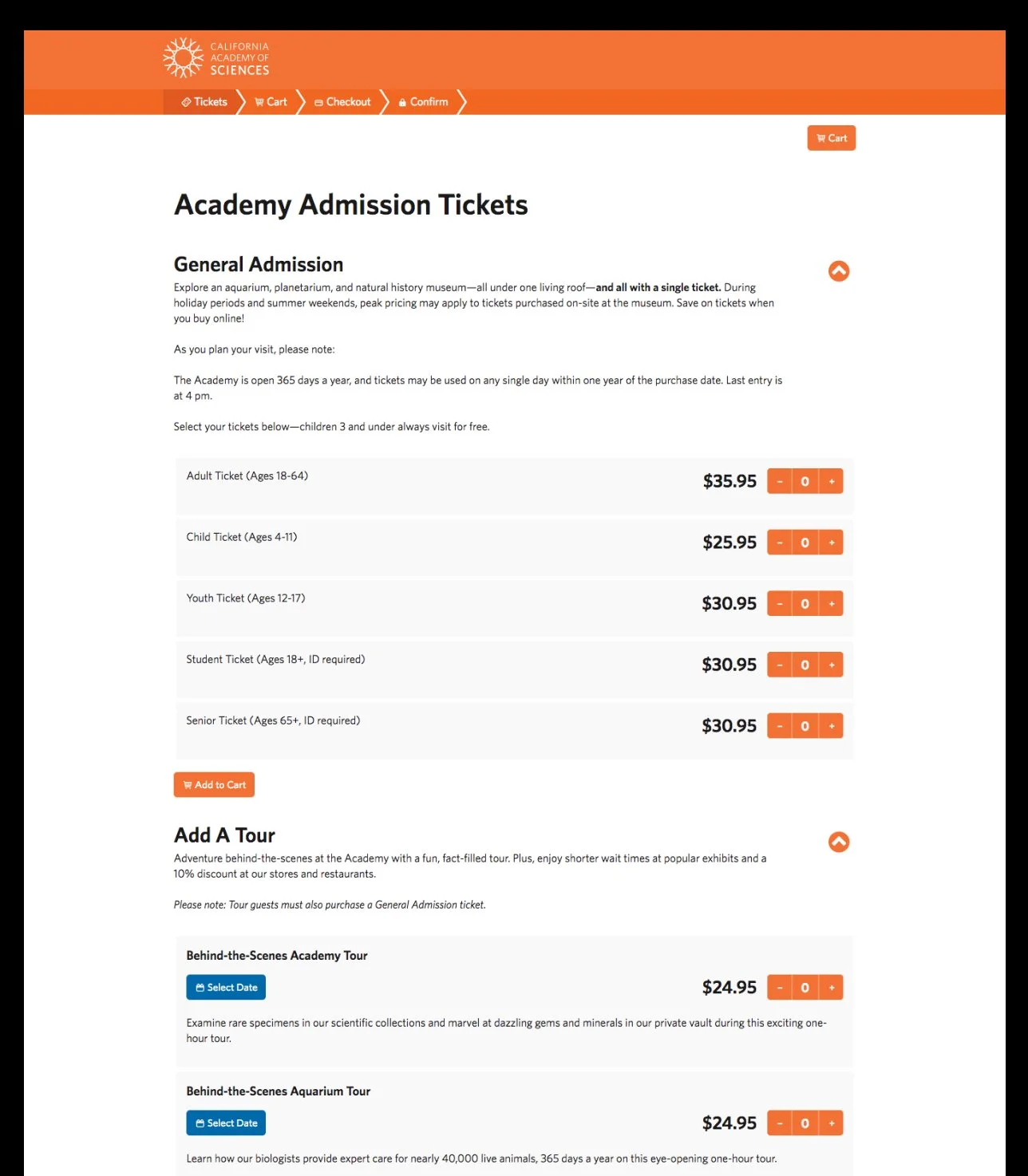
![]()
2. A detail page for GA ticket purchasing. With lots of decisions to make, visitors expressed decision paralysis and cart abandonment.
-
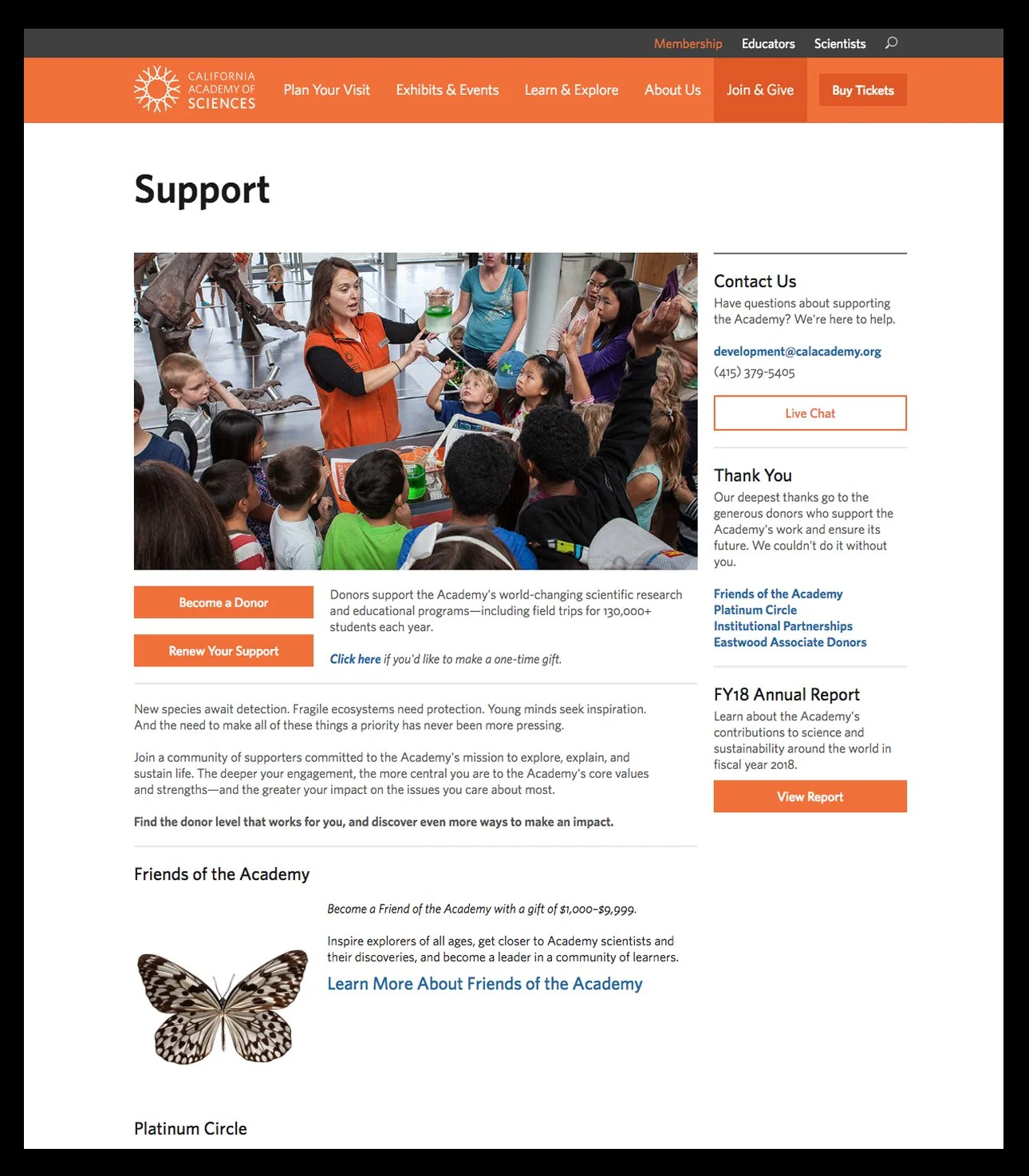
![]()
3. The original landing page for museum donors.
-
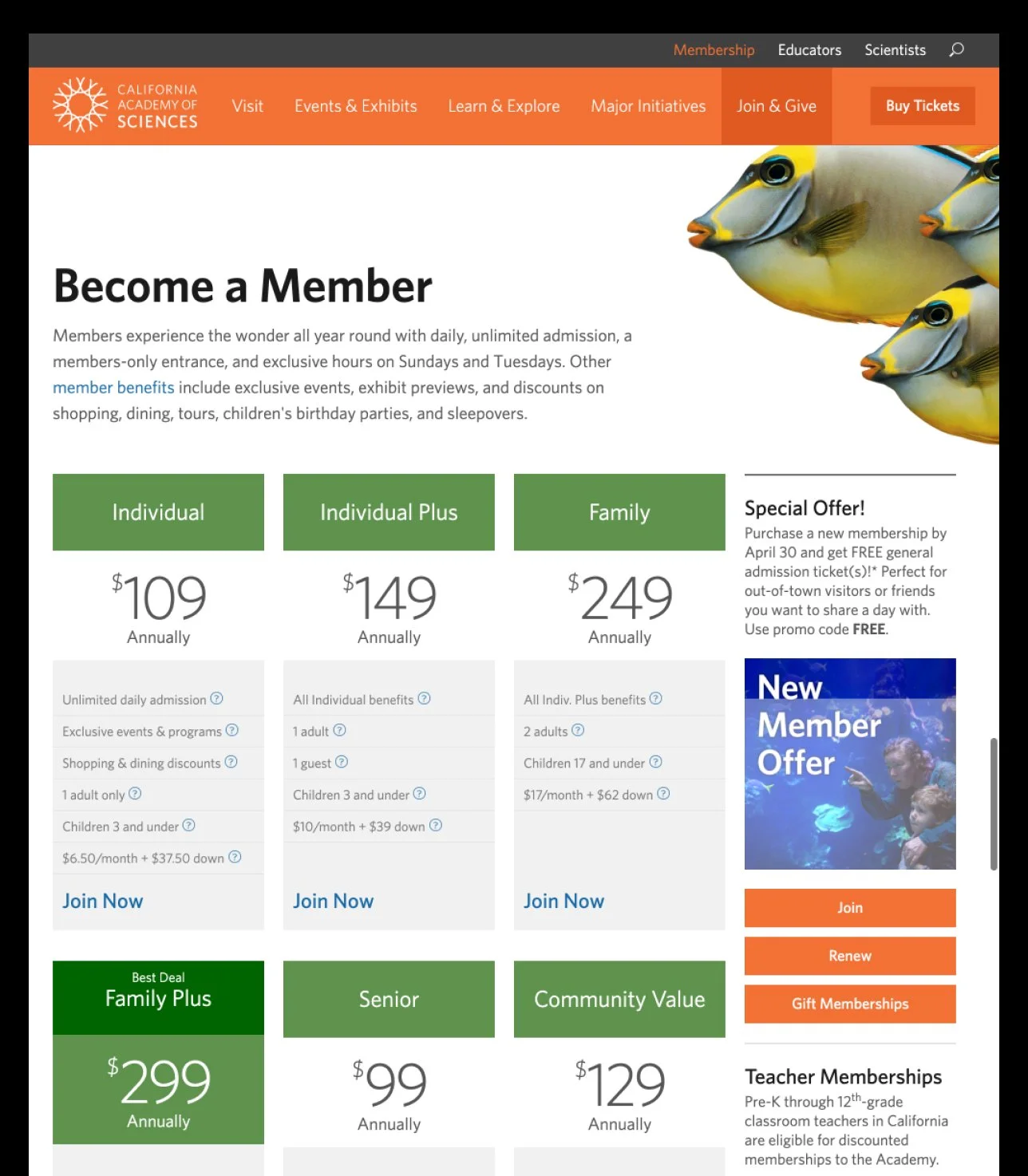
![]()
4. Original membership landing page.
-
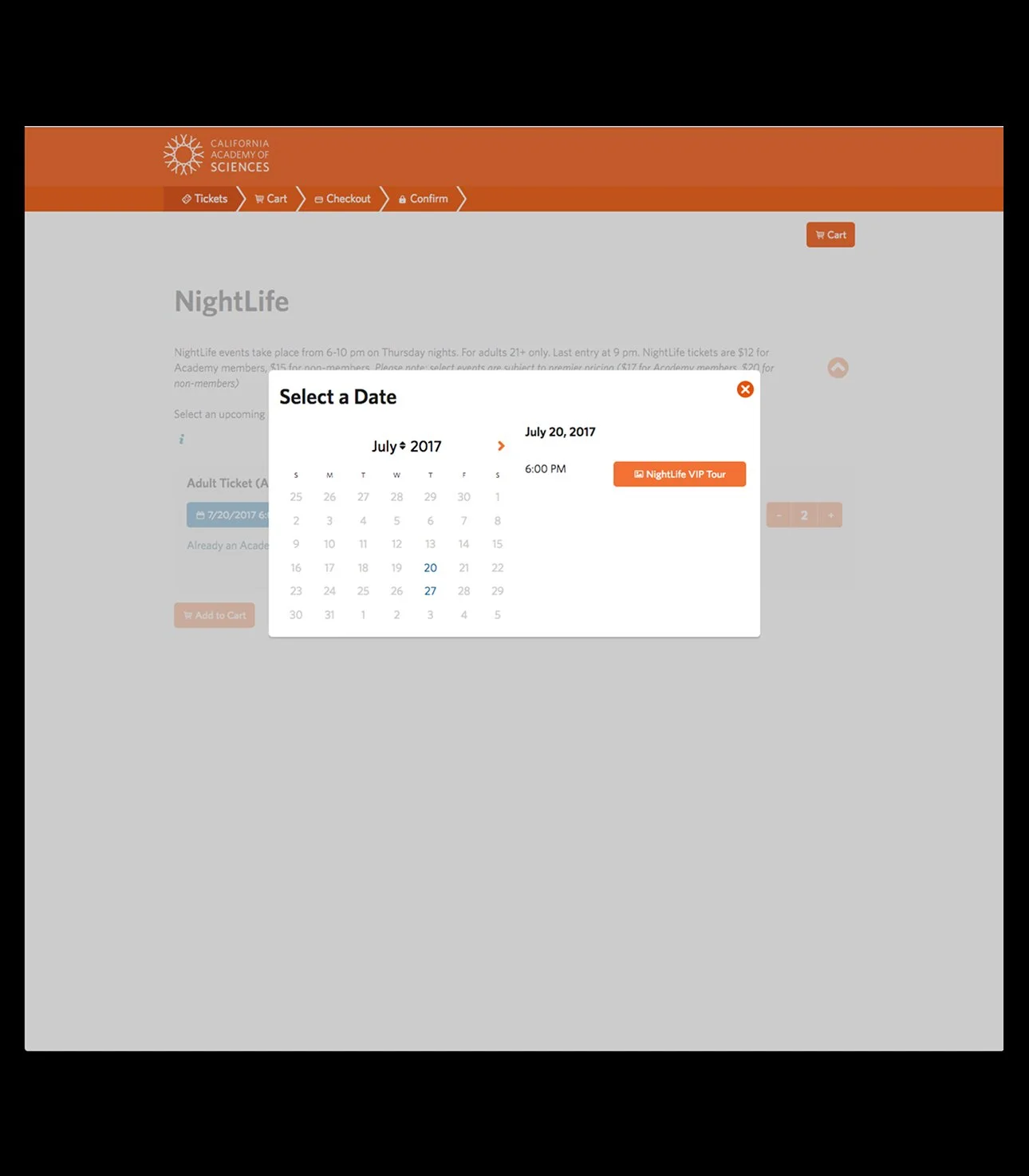
![]()
5. Original design for date selection was on a popup modal that was not mobile friendly.
-
![]()
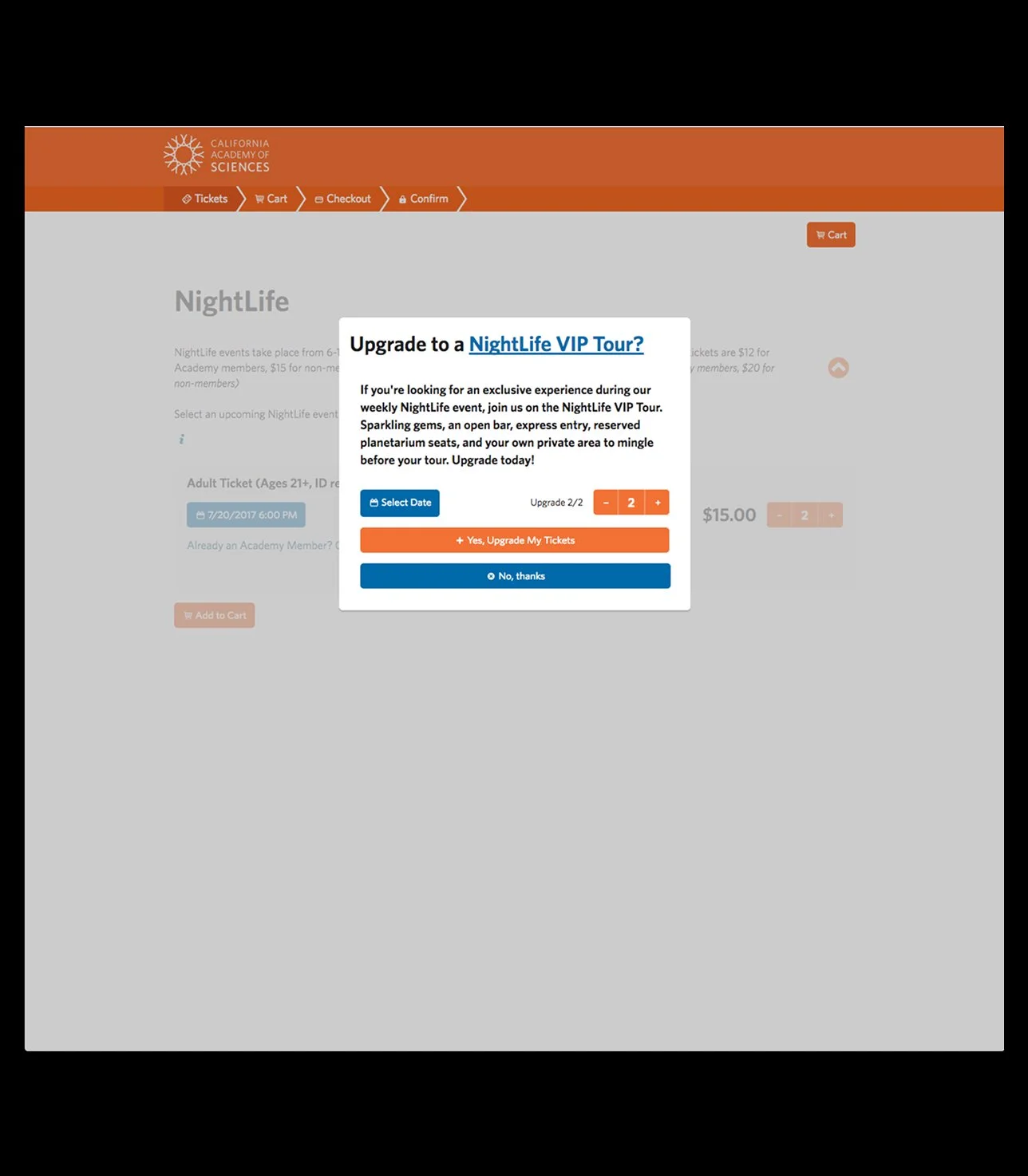
6. Original design of a modal to upsell a tour to add to a NightLife ticket.
-
![]()
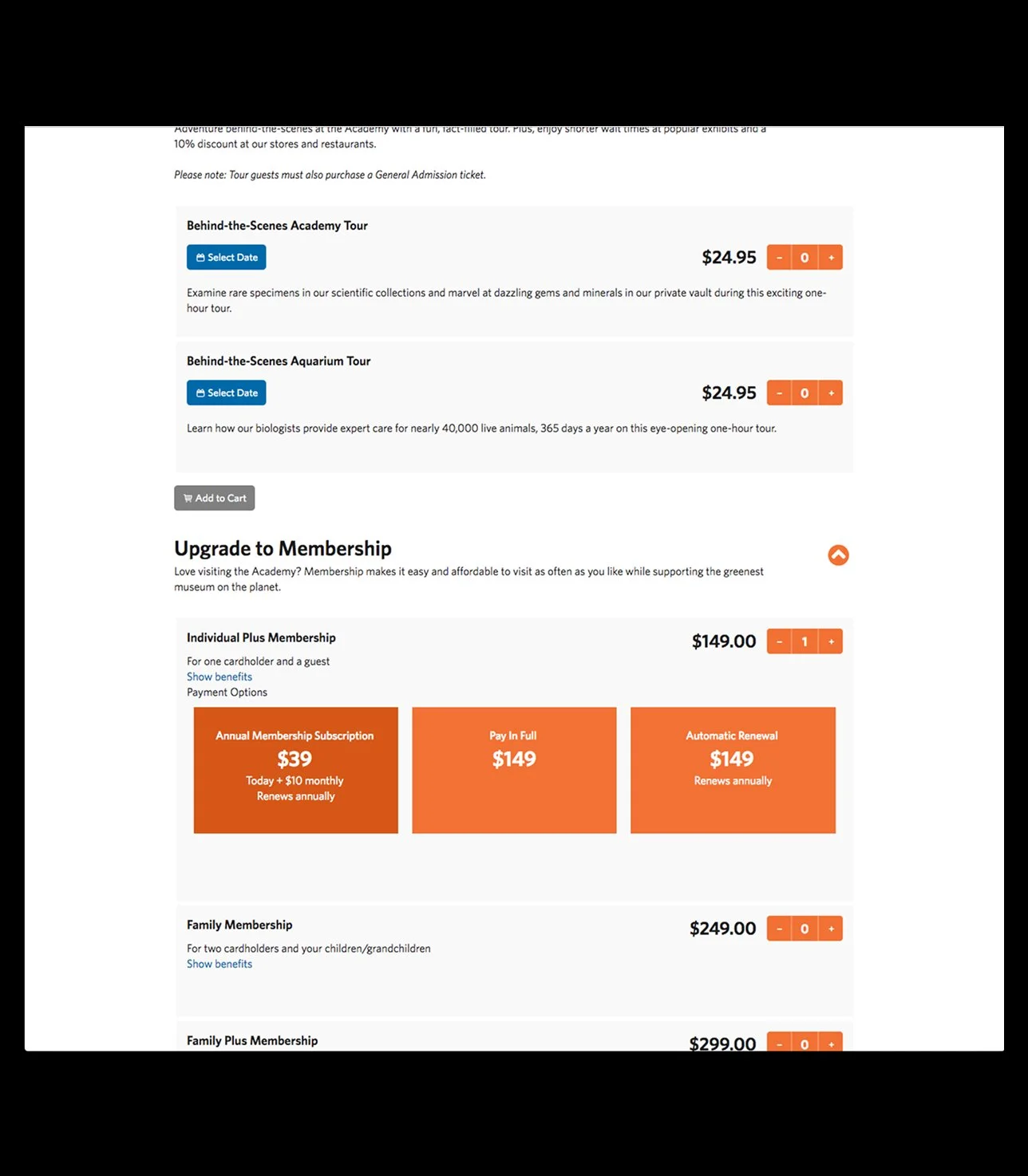
7. Original design of the membership upgrade functionality. This made the add to cart button harder to find for ticket buyers.
-
![]()
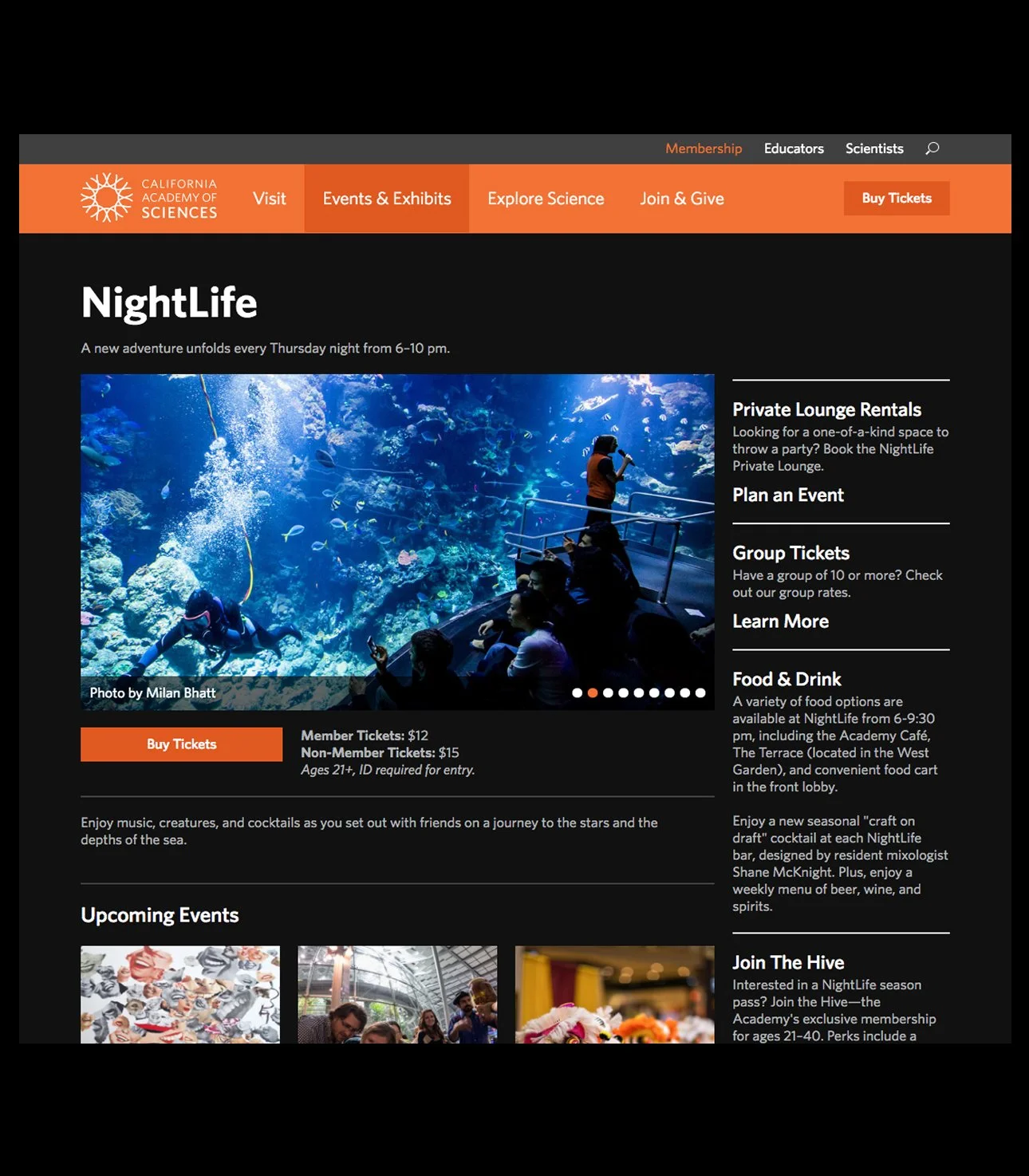
8. Original design of the NightLife landing page
The Team
Andrew Sawyer – UX, Visual Design & Strategy
Nick Colin – Content
Amie Wong – Project Lead and PM
Ashlei Temena – Web Development
Julia Dolgoszyja – Web Development
Greg Rotter – Web Development